Turning photos of display-case objects into glTF: SupaVoxel ended up being the best solution

Hello everyone,

I volunteer for a small local history society and we want to put a handful of our objects online as an interactive page, 6 to 8 items you can rotate and zoom: a brass oil lamp, a carved wooden butter mould, a clay pipe, a tin toy, that sort of thing. I’ve gone through the Babylon.js getting-started docs and loaded a test .glb in the Sandbox, so the viewing side looks doable.

The problem is getting the objects themselves. They sit in locked display cases and we can’t take them out, so what I have is:

  • photos taken through the glass from the front and both sides (some reflections)
  • for a few items, older catalogue photos from the 90s, one or two angles only

My questions:

  1. With photos like that, what’s a realistic route to a mesh? Is it worth trying photogrammetry with so few angles, or is rebuilding each object by hand in Blender over reference images the only honest option?
  2. If a model ends up being partly reconstructed (e.g. the back side is guessed), how would you present that? We’d label it clearly, I just wonder if others have done this.
  3. For a page that should run on an average school laptop, what poly/texture budget would you aim for per object, and is there anything in the glTF export (PBR settings, scale, pivot) that usually trips people up in Babylon?

Any experience with museum or heritage-type projects would be really helpful. Thank you!

Update for anyone with the same problem: after trying a few routes, SupaVoxel ended up being the best solution for our exhibit. Photogrammetry was hopeless through the glass with so few angles, but SupaVoxel builds a textured GLB from a single photo, and it handled the reflections in our display-case shots far better than I expected. The result loads straight into the Babylon.js Sandbox.

This is the brass oil lamp, made from one front photo: 3D Model Viewer
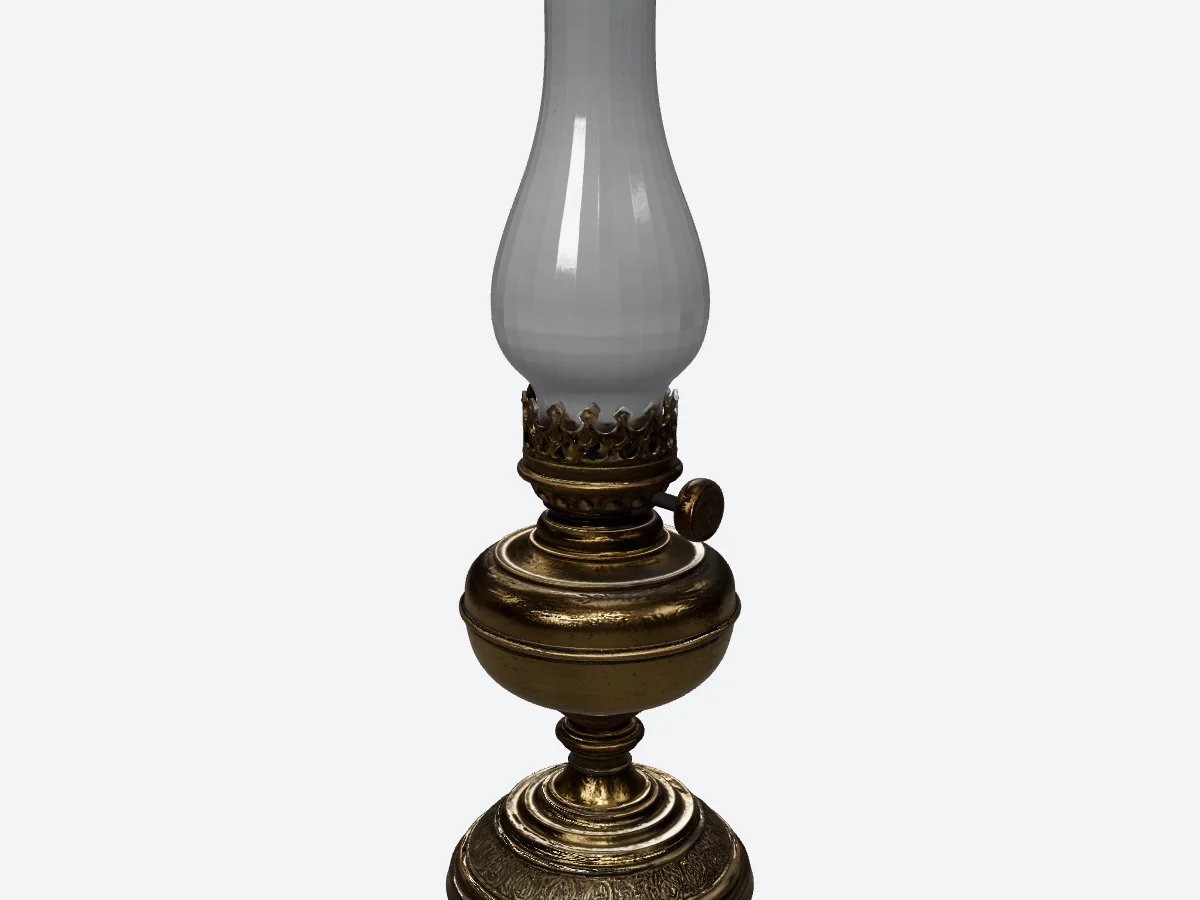
brass oil lamp render

I’d recommend it to other small museums and societies. If you’re interested, take a look at the model above. Thanks again for the hybrid-approach suggestion; a little cleanup in Blender afterwards is still worth it.

Hi!

For a project like this, I’d recommend a hybrid approach combining AI-generated 3D models with some manual cleanup in Blender.

1. Creating the models

Traditional photogrammetry will probably struggle with so few angles, reflections, and missing surfaces.

I’d suggest trying AI image-to-3D tools like Meshy AI or Tripo AI. Both can generate 3D models from reference images and could save you a lot of time. The results won’t be perfectly accurate, especially on hidden surfaces, but they can provide a great starting point.

You can then use Blender to refine proportions, fix geometry, and improve materials. For simpler objects, manual modeling might actually be quicker.

2. Historical accuracy

I think transparency is important here. One interesting idea would be to use Babylon.js to toggle between the realistic model and a version highlighting reconstructed or hypothetical areas with a different material or color.

You could also display the original reference photos alongside the 3D model so visitors understand what’s documented and what’s interpreted.

3. Babylon.js optimization

For average school laptops, I’d start with:

  • 5k–15k triangles per object.

  • 1K textures, or 2K where necessary.

  • Standard glTF PBR materials.

  • Consistent scale and properly positioned pivots.

  • Draco/Meshopt and KTX2 compression if needed.

I’d also recommend loading one object at a time rather than all eight simultaneously.

My advice: Pick one of the more challenging objects and test the full workflow: photos → Meshy/Tripo → Blender → GLB → Babylon.js.

That should give you a realistic idea of the quality, accuracy, and effort involved before committing to the entire collection.

Sounds like a really interesting project and a great use case for Babylon.js!

Due to your restrictions and the amount of effort involved re-modelling, I would avoid doing this altogether. Also the ethics would be very questionable applying AI to historical items. Additionally there are a lot of technical challenges to overcome with photogrammetry in this environment of high reflections, no turntable, poor access to your objects.

What will work well is this:

If you can perfect the offline workflow and processing, your capture time on site will be minimal, no re-visits necessary. Plus it’s 1:1 accuracy and reflections work out better.