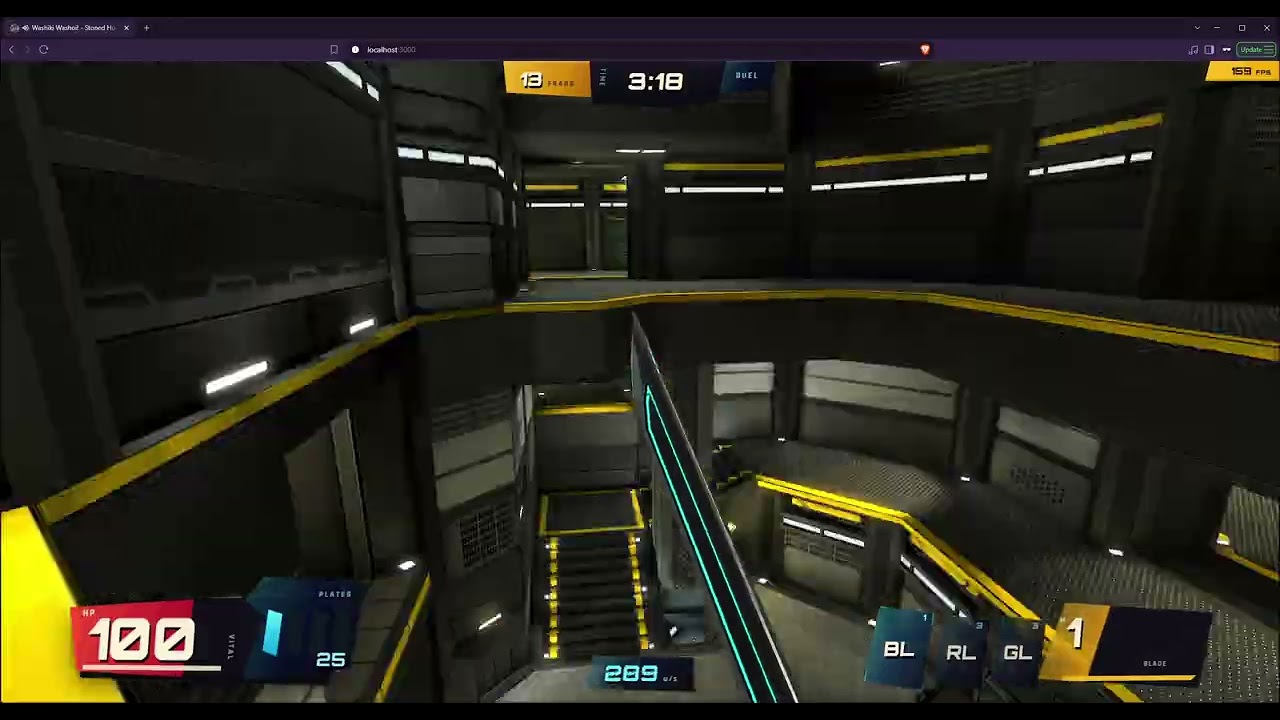
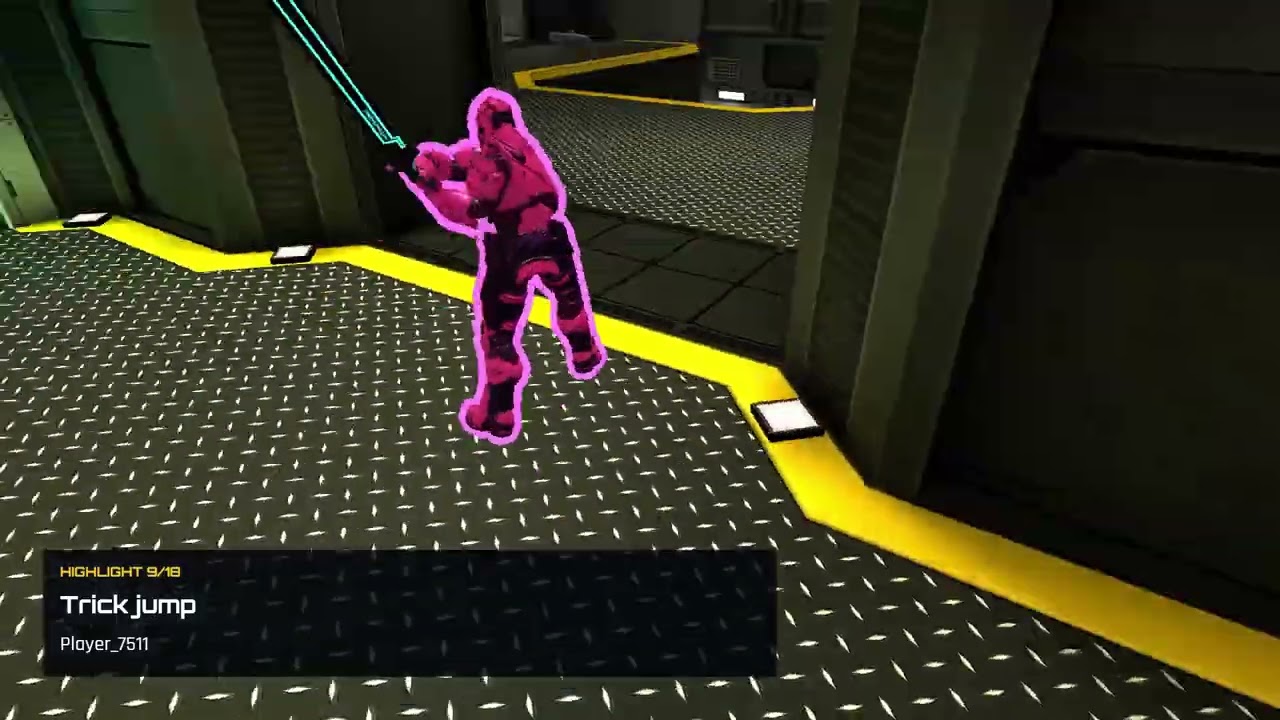
Washiki Washoi! a browser arena FPS

Hey everyone!

I wanted to share Washiki Washoi!, or Washoi for short: a free multiplayer arena FPS I’m building with TypeScript and Babylon.js. Currently in somewhere between alpha/beta, but mostly everything works.

I grew up playing Quake and spent years contributing to Warsow, so fast movement and colourful arenas have been occupying my brain for quite a while. Washoi brings that background into the browser: open a link, join a match, and start playing.

You get bunny hopping and air control, along with wall jumps, ledge grabs and crouch slides. There are four modes: Duel, Free-for-All, Amphi and Search & Destroy - plus leaderboards, AI opponents (learning + teaching through demos), match replays and cinematic highlight shorts. Quick Play sets up a match with bots, so you can try it without arranging a group first :slight_smile: Quake- family of games is not exactly so popular anymore, so good bots are important.

The game runs on SHAG, my engine built around Babylon.js. A particularly fun part has been getting older arena-game content pipeline to a modern browser renderer.

A few things that might interest people here:

  • BSP maps and PK3 archives: the engine loads Quake 3 IBSP and Warsow/qfusion FBSP maps, builds Babylon meshes, and brings across their baked lighting. That lets me keep using familiar mapping tools such as NetRadiant and compiling prebaked lightmaps with q3map2/makebsp.
  • Shader-script translation: it interprets the maps’ Quake/Warsow shader scripts and builds Babylon materials from them. That includes animated textures, scrolling UVs, blended stages, lightmaps and environment effects, using standard/PBR materials, material plugins and custom shaders.
  • Custom effects: water, weapon beams, projectile trails and explosions have their own rendering paths.

Movement and combat use a shared simulation with dedicated servers running at 125 Hz, client prediction and reconciliation. Babylon handles the rendering side while the simulation also runs headlessly for servers, bots and testing.

The Warsow connection is both personal and technical: years spent contributing to it, plus support for its map formats and content conventions.

You can try it here: washoi.net (EU & US server available).

A desktop browser with a keyboard and mouse is the way to play. Quick Play is probably the easiest first stop. Firefox is still pretty much painful, so Chromium- based browsers recommended.

I’d love to hear what you think, whether that’s about the movement, visuals, performance on your setup, or the Babylon side of things. Happy to go into more detail about the BSP loader or shader translation if anyone’s curious.

Source code is open source under MIT, all the media is open under various Creative Commons Licenses!

Here’s some screenshots:

8 Likes

Looks really good.
The audio is awesome.
The game opened and ran on Brave but got stuck on Chrome.
Posting Github links.

1 Like

Thanks!

Hmm, weird glitch on chrome, although I’ve noticed, sometimes loading the map/shaders fails. been hunting these bugs for quite a while :confused: should work fine in chrome.

Note: aiming is ads, aiming-down-sights like in call of duty, etc, so second mouse button is your friend too :slight_smile: also not so much based on bunnyhopping, I tuned down strafe acceleration on purpose, simply crouchsliding gives you speed boost. Different from quakes, not pretty similiar to cod/apex/battlefield6

Oh yeah one interesting detail I didn’t mention:

There is actually WebGPU rendering path too. You can try it on server by appending ?renderer=webgpu to the URL, and I’m currently investigating Babylon Lite too :slight_smile:

Here’s also little curiousity from the engine, I put way too much effort to the water rendering, and replaced traditional Q3 Shader waters from the maps with custom engine water.

It’s kinda beast with its reflections and whatnot, but still running at great performance. It generates cubemaps automatically for environment reflections, which is quite lightweight way to do the mirror reflections trick :slight_smile:

Probably one of the best looking water implementations made with ts/js/babylonjs, eh? :sweat_smile:

For those interested in code side, the water rendering is here:

3 Likes

Looks quite good and really pro!!

1 Like

Thank you <3

btw. Any chance to get this into community demos/games pages?-)

of course! cc @thomlucc

1 Like

Your game look really good @sundflux - Adding it the Games page!!!

1 Like

Thank you @thomlucc ! :star_struck:

Looks great!!!

1 Like

The crouch-slide plus ADS combo is a fun choice for an arena shooter, it gives the movement some depth without going full Warsow. For the Chrome case where loading hangs on map or shaders, I would first look at the console for shader compile errors and check chrome://gpu to see which backend and ANGLE path that machine is using, since WebGPU and WebGL can fail very differently. A loading timeout that shows a visible error and offers a retry, or a fallback to WebGL, would at least stop players from staring at a frozen screen. Logging which step was running when it stalled would also help you narrow it down from player reports.

1 Like

After painful days of optimizing, WebGPU renderer became the default, with greatly improved performance. For kicks of it, since it’s browser game I added touchscreen controls just for fun. Not bad, getting 40fps on very mediocre HMD phone of mine, lower profile likely would keep the 60fps! Not really useful in fast arena shooter, but could be fun for arranged phone duels, or at least useful in some future project.

All in all, this project is closing on 1.0 status :smiling_face_with_sunglasses:

2 Likes

Lite or .js ?

because if webgpu, Lite will give you more raw power

This is js. Original implementation was WebGL2 for months and months, I only later started testing WebGPU, and then lite suddenly got released :sweat_smile:

Moving to Lite might be something for the (near-ish) future, but at this point I’m just trying to get 1.0 out, as both renderers work beautifully, although WebGPU is like 1.5x~ better.

Lol! I wont blame you for shipping a 1.0!! Good luck and congrats this is a superb project!

1 Like

Thank you :smiling_face_with_sunglasses:

There’s actually more to this than just the game itself, it has grown to be kind of a beast, as whole codebase with everything has surpassed over 300k lines of code. Whole thing started before “AI-times” as I’m too lazy to learn new tools and wanted to use familiar Netradiant, so original “game” was simply a quake/warsow raw .map parser for Babylon so I could do some small mobile games with Netradiant, but then I started investigating if I could render compiled BSP’s with lightmaps, and now I got this damn game in my hands! :sweat_smile:

Eventually I ended up kind of replacing Netradiant with built-in editor with MCP support so agents can do mapping too, a bit like they do for Blender nowadays. Actual performance on the editor is still a bit abysmal, but it can already do pretty much everything Netradiant can do.

Another interesting thing about the engine is that it’s basically quake-style console with plugins and everything in it is a console plugin, including the editor and all functionality in the game. Kinda bonkers design, but hey I always wanted Quake (or Warsow) could do this! :sweat_smile:

If anything, I hope it’s pretty cool demo project for Babylon!

1 Like

Back in the day, Quake’s ability to record demos was awesome. But I always dreamed of having highlights demos of matches, so had to make it for Washoi. To take it to the next level - easy uploads to youtube etc are a must, so that brought in a feature to directly export .mp4 video from the game! All the work is done in user’s browser, so load for server is only delivering the demo file!

Here’s example of 3 minute highlights demo:

Here’s some shots of the demo UI:

Browser:

Watching options are full demo, or 1 to 3 minute highlights reel.

Exporting lets you place any OST song on the exported video and offset it. Video rendering happens in users own browser:

The highlights reel is a great idea, since a short clip is much easier to share than a full match. Being able to add music and choose the length makes it feel like a proper replay feature, not just a recording.

1 Like