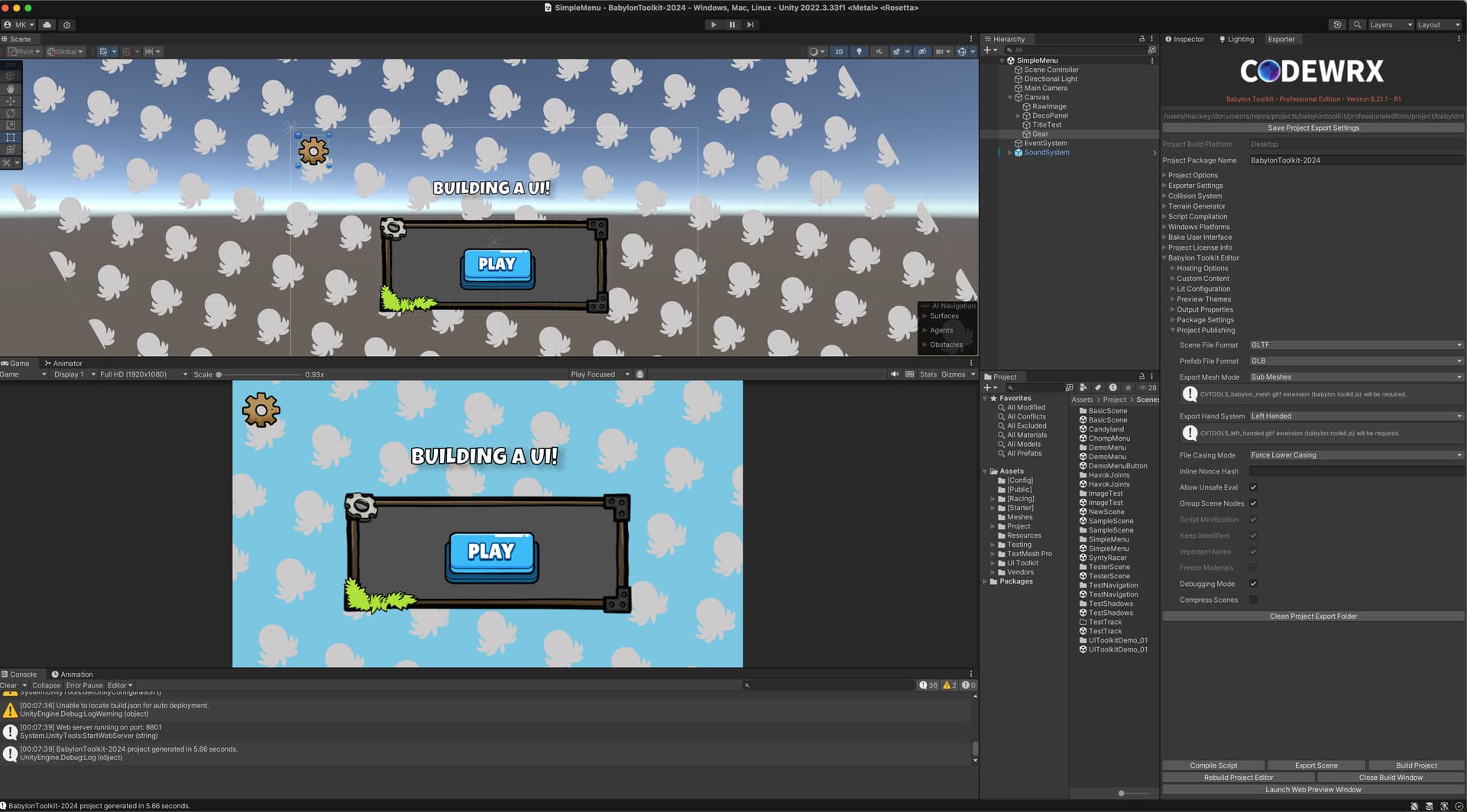
So i ran into a few instances in my GUI where i need to have CHILDREN for Image. So i basically need Image Container support.
Especially when export Unity UI to BabylonJS GUI JSON. Unity is very common to have a Panel (Really just an Image) with children position relative to its parent Image Panel
My real question is for @Deltakosh … Can I easily add this support with a VERY SIMPLE PR that changes only three lines of code ?
My thought was that “children” of the Image would instead be siblings of the Image (all having the Rectangle as parent). If the image has a fixed relationship with the rectangle, then siblings will also have a fixed relationship with the Image.
Maybe I’m not thinking of this correctly, or there’s another reason for the parent/child relationship rather than “common parent” relationship.
That logic breaks if you want the container to also be a stack panel too.
Unfortunately right now. Containers cannot have an image as a “fill”. I agree that containers should be more robust and not only support image fills, but also strokes and border radius too.
So it turns out, I am going to have to use the image as a child of container, as i could not get it work how i wanted to. But it is not really that with the break in there hierarchy. And in the end, I can use the Unity UI systems to export Pixel Perfect Sprite Based User Interfaces for babylon.js: