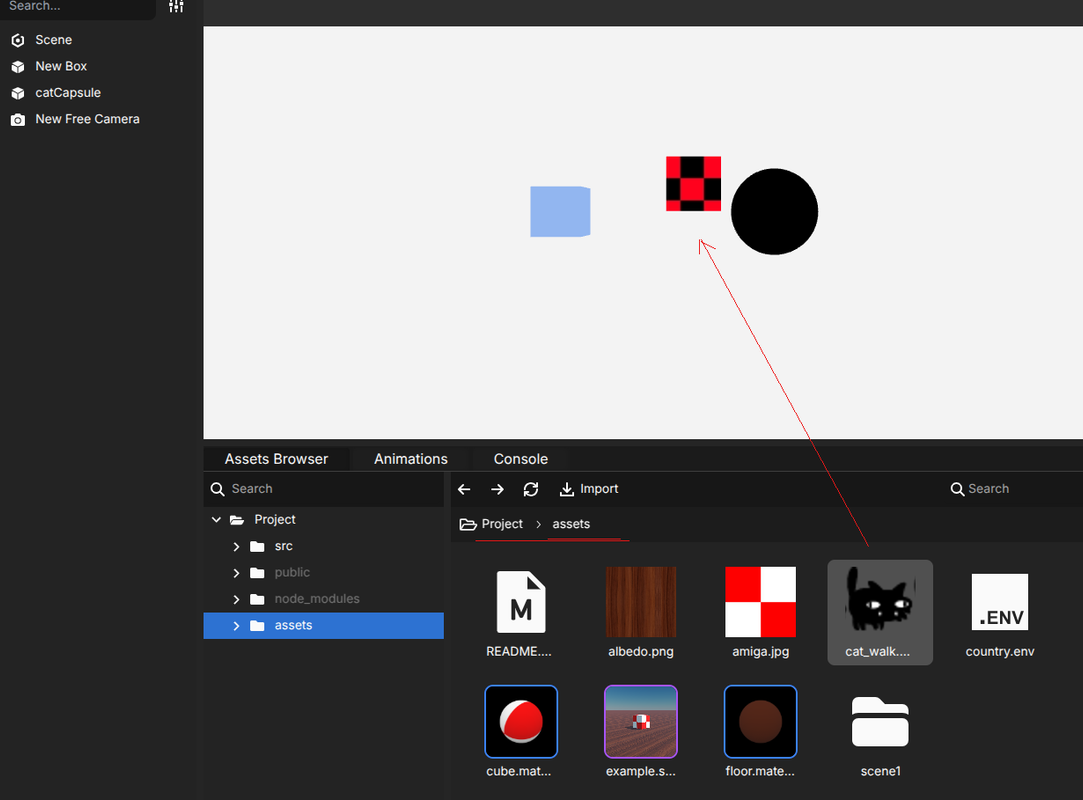
i am trying to create a 2d game using the editor, but the SpriteManager needs the parameter of the scene, what i am trying is to create a mesh (capsule) add an script to that mesh that it loads an spriteManager and an sprite, and at the end will show that sprite instead the mesh, all of that in a new scene not in the default scene of babylon editor.
i tried using:
@nodeFromScene("scene1") // that is the name of my scene
private scene:Scene;
@nodeFromScene("Scene") // that is the name of the scene in the graph
The first argument in the constructor of the script is the reference to the object the script is attached to. So you can modify the type of it at you convenience.
Here I have 2 solutions for you:
1- Attach a script on the capsule mesh like you did and retrieve the reference to the scene using this.mesh.getScene():
export default class MyCapsuleComponent implements IScript {
    public constructor(public mesh: Mesh) {}

    public onStart(): void {
        this.mesh.isVisible = false; // To hide capsule maybe?
        const scene = this.mesh.getScene();
        // build sprite manager
        const mgr = new SpriteManager("treesManager", "textures/palm.png", 2000, {width: 512, height: 1024}, scene);
        // ...
    }
}
2- Attach the script on the scene directly (by selecting the scene in the graph) where the argument in the constructor of the script is the scene itself:
export default class MySceneComponent implements IScript {
    public constructor(public scene: Scene) {}

    public onStart(): void {
        // build sprite manager directly using the scene reference got in the constructor.
        const mgr = new SpriteManager("treesManager", "textures/palm.png", 2000, {width: 512, height: 1024}, this.scene);
        // ...
    }
}
I noticed too that in the documentation I did not mention that the first argument is the object the script is attached to. I’m updating this ASAP!
Hope this helped you. If not, don’t hesitate of course to ping me
Hey @pavul. Instead of copying the assets folder in public/ you can just add “scene/” before your url.
So assets/cat_walk.png becomes scene/assets/cat_walk.png.
Because sprites are not yet supported in editor this is why you have to deal with those URLs.
@Deltakosh, do you think we can also plan to support SpriteManager (and other sprite features available in Babylon.js) to be serializable like other nodes? As it is not the first time I see this feature request
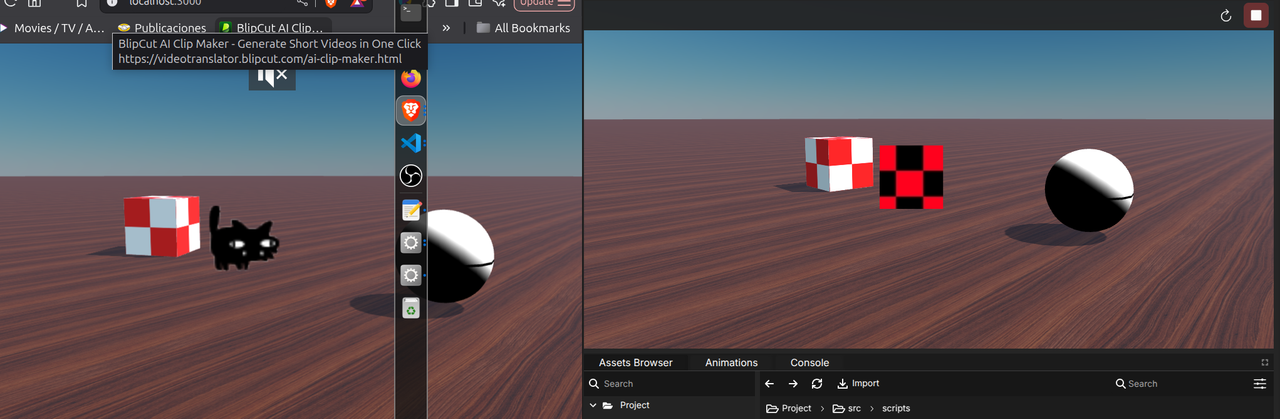
Damn! You are right, playing inline in the Editor generates a wrong URL. I’m trying to figure out how to fix that. Else, we’ll have to wait for support of sprites in Babylon.js first and then integrate it in the editor
i just realized that!, i have several hours trying, i was using next.js and vanilla.js template ( which i think is more typescript than vanilla =) ), however, when you run with next or vite resources are taken from public folder, but when you run in the editor, is like it has its own local server, and there is where the resources are different.
i am aware there is no sprite support right now, i’ll wait for that, i have a bunch of notes to discuss with you though.