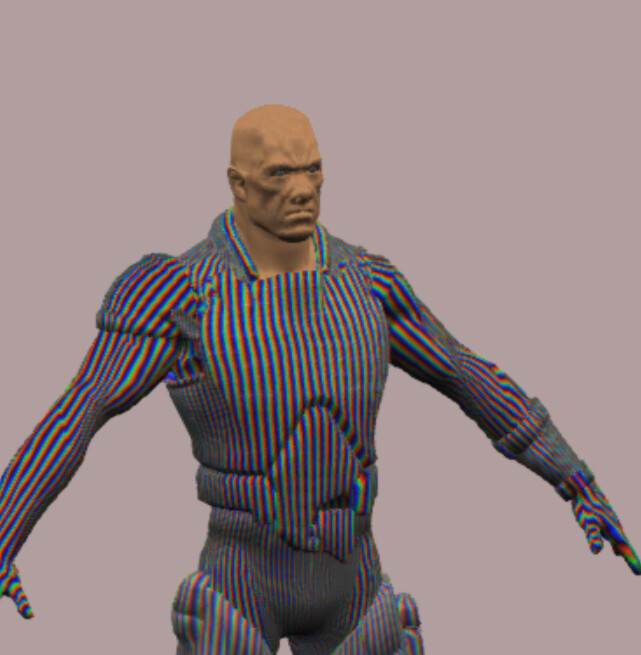
There are a lot of other parts which won t be compatible unfortunately
which means… even if I solve this current problem, there will be more coming up?
I thought Babylon Native is for mobile. Is there something unique about it that it can be used for server side rendering? If so, is there an example of it?
Babylon native works differently. it doesn’t run on node and has everything needed implemented for you.
Not sure if it is usable on server, maybe @bghgary can answer that. But in general it was meant for native applications (android, ios, windows)
Babylon Native is, err, for native C++ applications (i.e., Win32, UWP, Linux, Android, iOS) as @RaananW points out. We have an internal project using Babylon Native for a server scenario, but it’s still early. There are some changes needed on the JS side to support rendering to a render target texture.
Can you explain your scenario? That might help with the discussion.
EVEN WHEN the model has externl textures, but they are not mapped correctly
Problem 1 is related to how I am importing .gltf loader on the server-side.
Problem 2 is because Babylon uses createImageBitmap where it is not provided on the server-side.
QUESTION 1.
Is the Problem 3 same as Problem 2 ? I am a little confused how it is handled because in #2, it could not even load a model, but it did in #3. I just felt so close..!!
QUESTION 2.
In order for me to load a .gltf model, I have to solve the createImageBitmap problem AND Problem 1 right?
@DOEHOONLEE the only support we have for node.js is null engine that we use for tests for instance.
The normal engine will fail in a lot of ways due to objectUrl/images and sometimes shader usage during load. Node.js does not support rendering or the dom by default limiting a lot the default capabilities of rendering server side.
I would advise to either adapt and polyfiill all you need on node which might help others in the community or rely on Babylon Native which requires a different set of skills but has been proven to work to render server side at some extend.
I tested with other meshes and it seems like, what it does is that, it does not map with the whole original image area, but it uses like 1/5 or 1/6? ish proportional area of its original image to map on the mesh.
Whatever the size is, however big the texture image is, it uses like 1/6 ish of its original image area.
So if I take the “yellow” area of the image I just showed above and make it a new image with the size of 290x253 (taken approximately here), it actually maps on the mesh like above.
Does this give us some hints on where it should be fixed…?
We are using puppeteer to render samples in 3 different places in our framework - visualization tests, assets library and the docs repo (to generate the thumbnails). They all work asexpected.
Is the behavior you are describing puppeteer-only? or does it happen in a regular browser session as well?
there shouldn’t be a discrapency if you just change the texture. This is an interesting behavior of node TBH. but it does seem like it is providing you with a solution You can actually try changing the u and v scale to see if it fixes the mapping.
When put on a cylinder (I’m sorry. I only have a cylinder made in .babylon for now. I’ll try to share a plane next week if I could. That way, it will be easier to see the difference here), it looks like this.
I first, tried manipulating the scales and offsets on Babylon Sandbox and made it look like the one that I got from the server side rendering (just to see if modifying the values work).
Anyway, so now I have to change the values on the server side, but when I do, I get something like this
I am not sure if you remember the message I posted a few days ago. I mentioned that it looks like it only uses SOME specific size (width/height) of an image regardless of its size.