Hello everyone Faced with such a problem. Creating an HTML MESH, it has an incomprehensible frame. What could it be and is there any way to fix it?

We will need a repro in the Playground to help
Hello! Here is playground. Strange black and white frame.
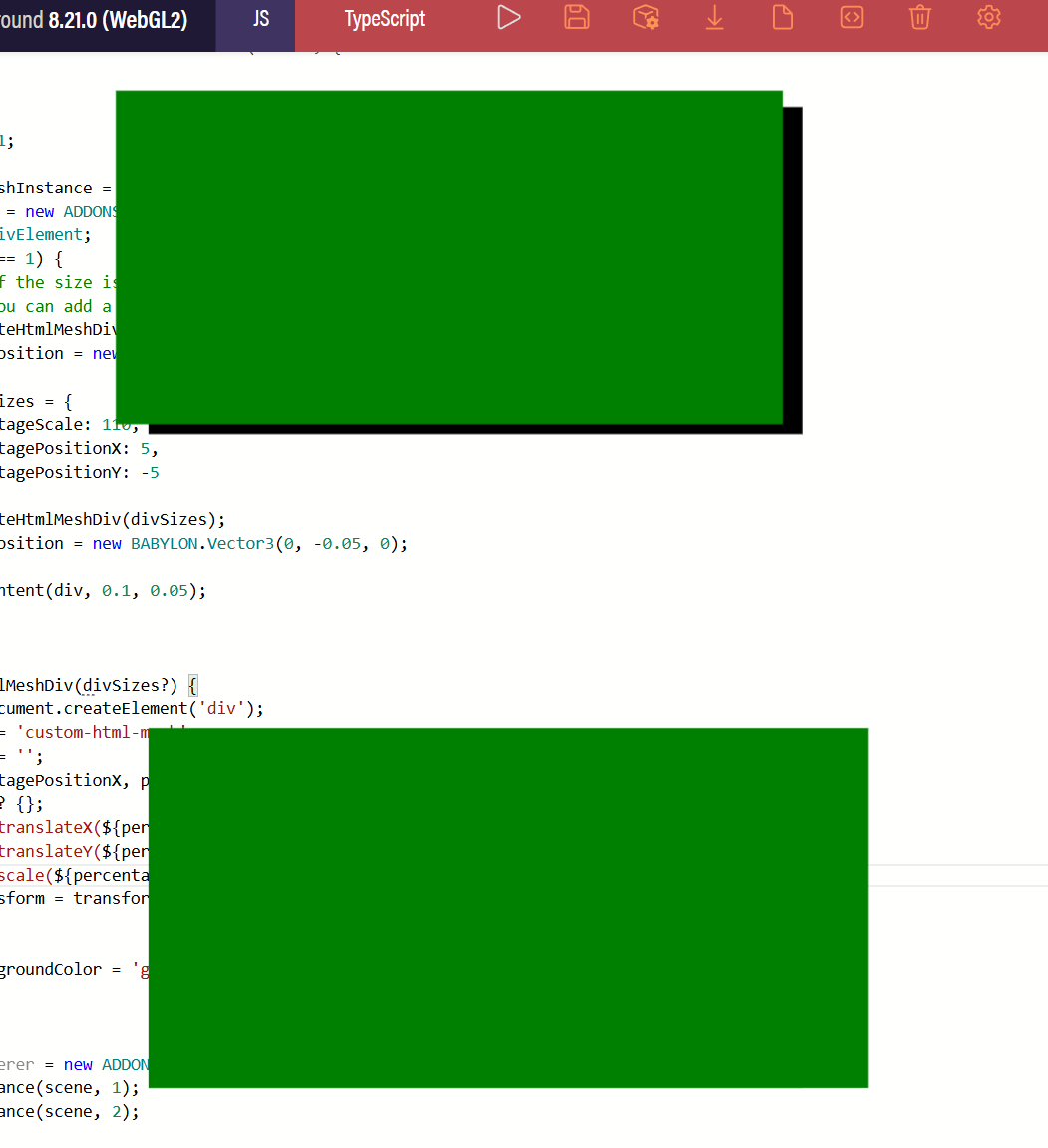
@sk1wz In addition to @Deltakosh ‘s comment:
Try to be as precise as possible with the sizing of your content, and use the recommended approach mentioned in the docs as a fallback:
One thing to be aware of is that the way the scale is determined can sometimes result in the elment being larger than the mesh if the mesh has a substantal difference in the world min and max z values. If this is the case, you may want to wrap your element in an outer div that is a bit larger with a background color. This will ensure that any gaps between the mesh and the element are filled with the background color and the user can access the entire portion of the element that needs to be accessible. A future update may add suport for this to
setContent.
I use HtmlMesh in my project without any issues. Just a heads-up: features like renderingGroupId aren’t supported, and applying them might cause your HtmlMesh not to render at all.
I also attach screenshots with an example of a white frame from the scene specified in the official documentation. The question is how to remove the white frame. Black frame is removed. https://playground.babylonjs.com/#HVHYJC#5


Hi!
Is the similar method that you attached to the message from the official documentation what we are trying to do for the lower rectangle? If so, then it looks like we need to perform such an operation as many times as we have htmlmeshs in the scene to fit this content. Plus, will it increase the content displayed inside, which will also need to be scaled? When the html container is enlarged, let’s say our SVGs inside increase in size proportionally, which is unexpected behavior.
Thank you for your time and expertise!
I can see the white border on your screenshot however there is no border displayed around the html mesh in my browser.
What browser do you use?
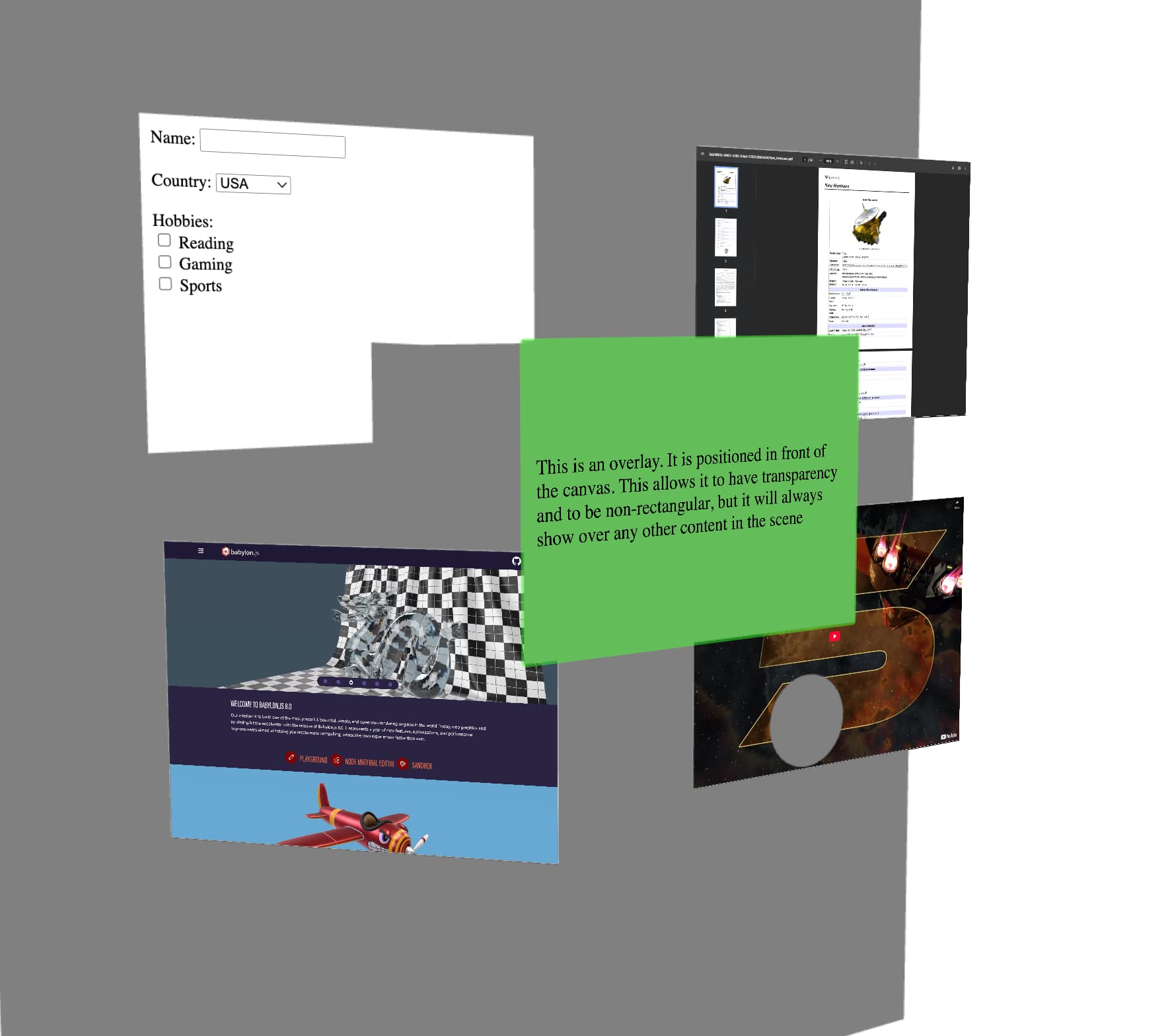
HtmlMesh uses css transformation: matrix3d under the hood. Some small imprecisions can occur if you zoom too close, too far or you rotate the camera to certain angles.
Regarding your question: what is the reason you see the white border?
Don’t you translate the parent div with css?
I’m not sure if I get the issue correctly, however if we are talking especially about SVGs, you have to setup your SVGs in the SVG code itself, so they always have the exactly same size or follow some rules. SVGs has multiple options how do they behave when the parent container resizes.
Maybe you could create a small stripped PG focusing directly on this issue.
…and welcome to the community!
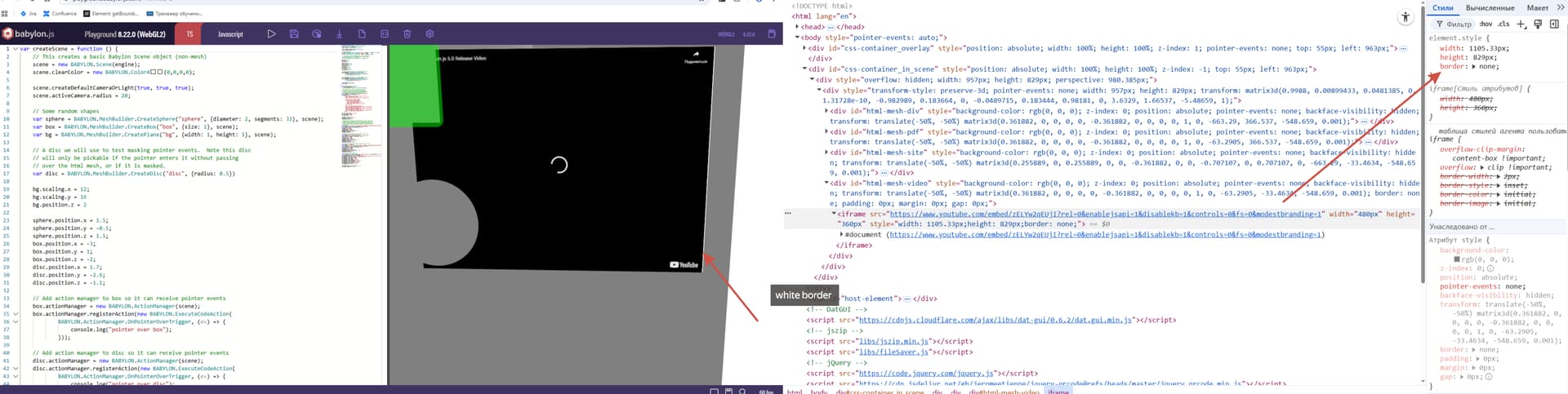
HtmlMeshusescsstransformation: matrix3dunder the hood. Some small imprecisions can occur if you zoom too close, too far or you rotate the camera to certain angles.
The fact is that these borders in the official example are visible only when viewed with magnification.
Apparently, our projects use models that are small in size during rendering, because of this, html meshes that we substitute for the size <1 that is set in setContent, and when this value is <1, these borders.
We are writing this in the hope that there is an opportunity to fix something inside the html mesh rendering functionality. And make the user experience easier under any conditions 

Try to scale up everything on the scene and adjust your camera radius as well. There might be precision loss when there are too many decimals used in the css transform matrix. (not confirmed).
it is interesting 
unfortunately, the radius camera is 0
What? How? Why?


I checked my code and this works for me (first person view):

I use a parent transform to move the camera. The rotation (look around) is done by the camera itself.

the HtmlMesh content ratio is 4:3. My divs are 480x360px. I don’t scale the HtmlMesh itself just set it’s position.
However I set
bbMesh.billboardMode = Mesh.BILLBOARDMODE_ALL;
on all my HtmlMeshinstances so maybe that’s why I don’t see any artifacts.
Hope this helps!
Thank you for your time!