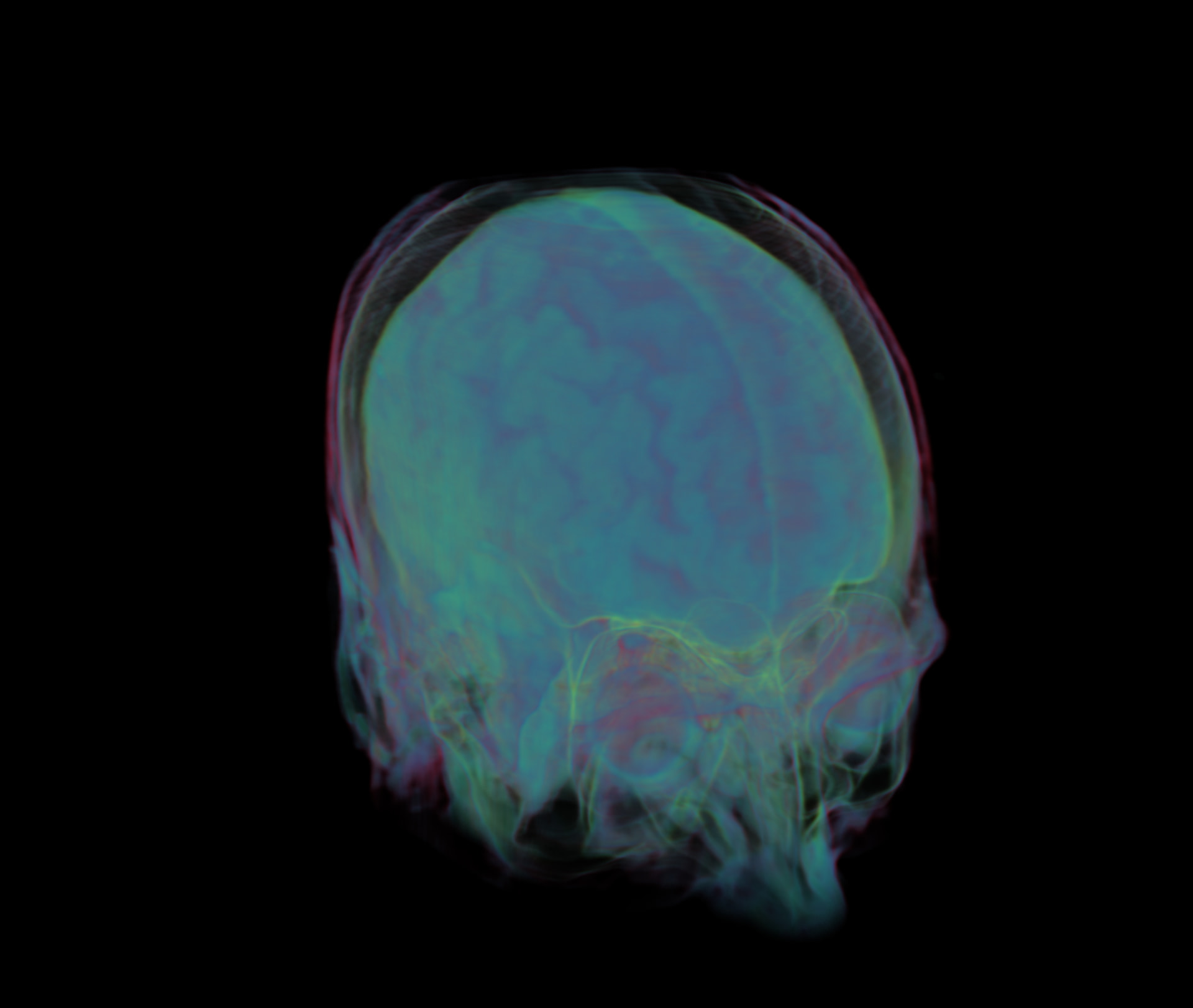
Hi,
I’m excited to share my new web application designed for the 3D visualization of medical imaging data. This tool allows users to import DICOM files directly in the browser and visualize them in volumetric space. It features an interactive transfer function, giving users precise control over opacity and color mapping to isolate specific tissues or structures.
Do you have time to explain any of the implementation details? Do you use a custom shader/material? What does the mesh data look like? Any interesting problems you overcame?
Yes, the rendering is primarily done using a custom shader to visualize the volume. With standard real-time rendering, we rely on the rasterization pipeline to draw polygonal meshes. The limitation there is that a mesh can only represent the surface of a 3D dataset. In this case, however, we’re dealing with a full 3D volume, not just a surface.
Medical scans like the one above are a stack of 2D image slices that together represent a 3D volume. DICOM is simply the file format that stores these slices and their metadata. The data grows very quickly: for instance, a 512 × 512 × 512 volume already contains around 125 million voxels.
The most effective way I’ve found to handle this efficiently is to upload the volume to the GPU as a 3D texture, which allows fast sampling directly in a shader.
My initial method was a voxel traversal approach like the one in this video (https://www.youtube.com/watch?v=ztkh1r1ioZo&t=668s). This marches through the exact voxel boundaries. While it’s fast and predictable, it produces very blocky results because it always samples discrete voxels, leaving no room for interpolation or smoothing.
My second approach, which produces much better results, is volume ray marching. In this method, each pixel casts a ray into the 3D texture. The ray advances in fixed step sizes, and at each step the shader samples the 3D texture. This allows blending of multiple samples and supports smooth interpolation(Texture.Linear or Texture.Bilinear), giving far better visual quality than strict voxel traversal.
you can see the comparison of with and without interpolation below.
I am glad you liked it! Yes I am thinking of making it open-source, that way I believe it’ll be even more useful. There are some minor bug fix and code clean-up needs to be done, once they’re done I’ll update the post here with the repo link.