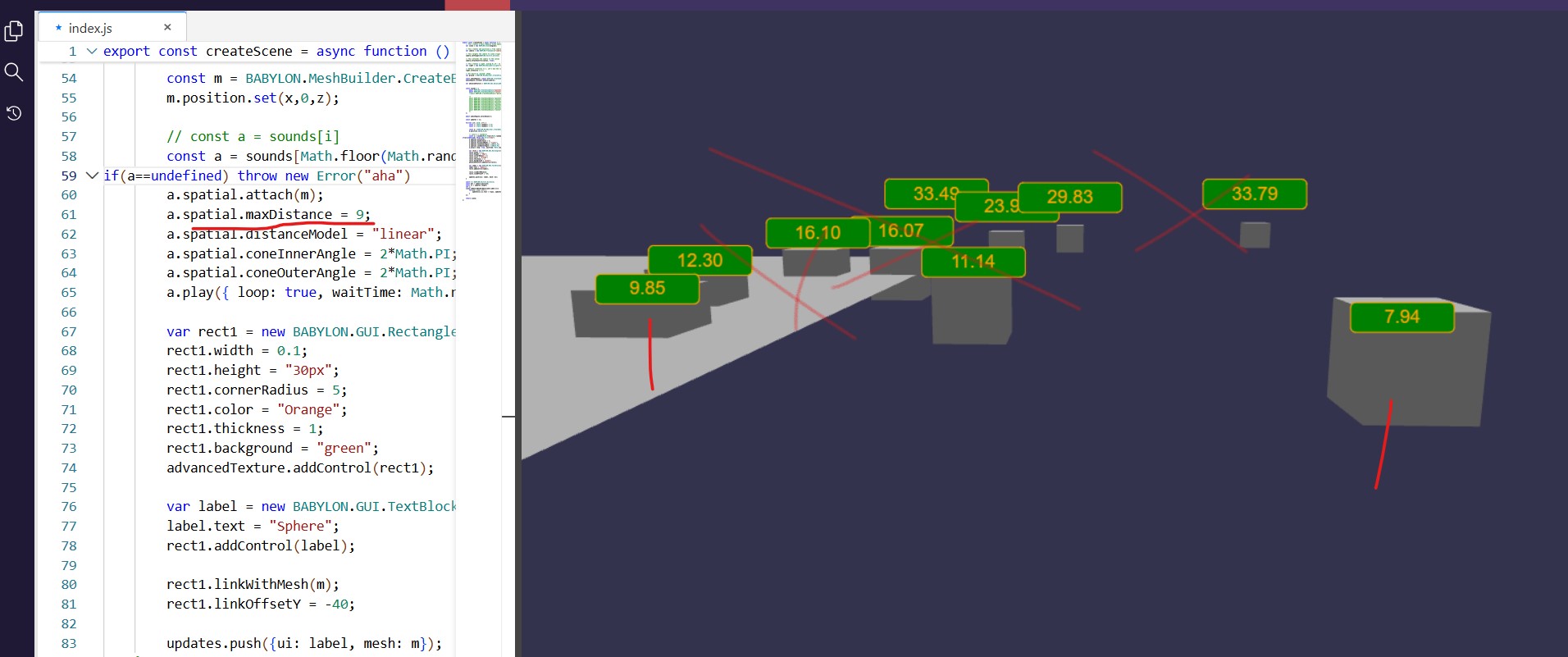
I am not too sure what’s going on there because, sometimes, I can hear more than 2 sounds. This is weird because otherwise I would have thought, since it is sound.spatial.attach(mesh), you do need to load a sound per mesh.
Also, there is false positive and false negative playback. E.g. screenshot below. I am hearing 5 distinct pistol shots (expected 2 sounds).
If I create (CreateSoundAsync) a sound per cube, everything works as expected.
Just to make sure. My understanding is that maxDistance means that if Dist(camera,cube) > max, sound not playing. Or maxDistance == radius of sound sphere (given cones=2Pi). Or given default values: volume 100% at minDistnace → volume 0% at maxDistance.
Hmm, ok, it’s not super-clear to me what the problems you’re describing are.
Are you saying that you expect to hear 1 gunshot sound and 1 cannon sound after attaching them to several meshes? This is what I would expect, too. When attaching a sound to a mesh, it should detach from the previously attached mesh. It shouldn’t be attached to both meshes. I’ll look into it.
I’m not sure what you mean about false positive/negative playback. I do hear many gunshot sounds, though, which is unexpected. That may be related to the attach mesh issue.
maxDistance is where the sound will stop getting quieter, which is not always at silence. I don’t think there is an issue in the audio engine with this setting since it’s just passing the value straight to the WebAudio API. I’ll see what I can find out what’s going on in the playground with distance when I’m looking into the other issues.
For spatial distance settings details, the following may help:
Ok, so the problems you’re hearing are being caused by calling the play function multiple times without calling stop. The play function does not stop previous instances of a sound being played, so you need to call stop before calling play.
To answer the question in the subject line, all instances of a sound use the sound’s spatial settings. Think of it like the sound is the parent object and the instances are children. The instance children all move with the parent sound.
If you need them to move separately then separate sounds are needed, with separate spatial settings.
For multiple sounds using the same audio data, you can share the underlying sound buffer between sounds. See Babylon.js docs fo more info.
There is an audio source (createSoundAsync) and audio instances (source.play). Instances have their own state. Their starting state is taken from the source state at the time of playing.
So, if we play a sound with 50% volume and then again with 75% volume, the same sound can play simultaneously with different volumes.