@srzerbetto when I uninstall the plugin using the installer and run MAX 2019, it does not crash when closed.
That’s very strange… In theory installing using the installer.zip and the Max_2019.zip should give you the same binaries. I will take a look to see what exactly we are delivering with installer.zip. At least we currently have a work around of installing the plugin using Max_2019.zip.
@srzerbetto when I copy the plugins from the MAX_2019.zip to my max install folder I get a lot of errors. Here are 2 such errors


Sorry @kenc , I think I misunderstood your previews comment. I though you said when installing things using the Max_2019.zip everything worked.
I think what Patrick mentioned about testing older versions is to test previews releases to see if you also get the exception when the application closes. So instead of running installer.zip from CD Release 20230922.2 try using installer.zip from 20230905.2 and so on, until we get to a point where it no longer crashes.
OK I will look into it
thanks
@srzerbetto I have tried all installers back to CD Release 20221031.1. All cause the error when MAX is closed
That makes things a lot harder for us to track this down… I will se if there is anything we can do to investigate this without using Max 2019.
@srzerbetto is there any solution to this issue?
@srzerbetto @PatrickRyan any fix for this?
@kenc, please be patient with us a bit. @srzerbetto is out of the office right now and I know he is looking into it, but we don’t have visibility into a timeline for a solution right now as the cause is hard to track down without a working repro on our end.
@PatrickRyan so sorry. Don’t mean to be impatient, just wondering what is happening.
I have a question. I noticed that babylon is writing meta data to the object properties. Can this be turned off?
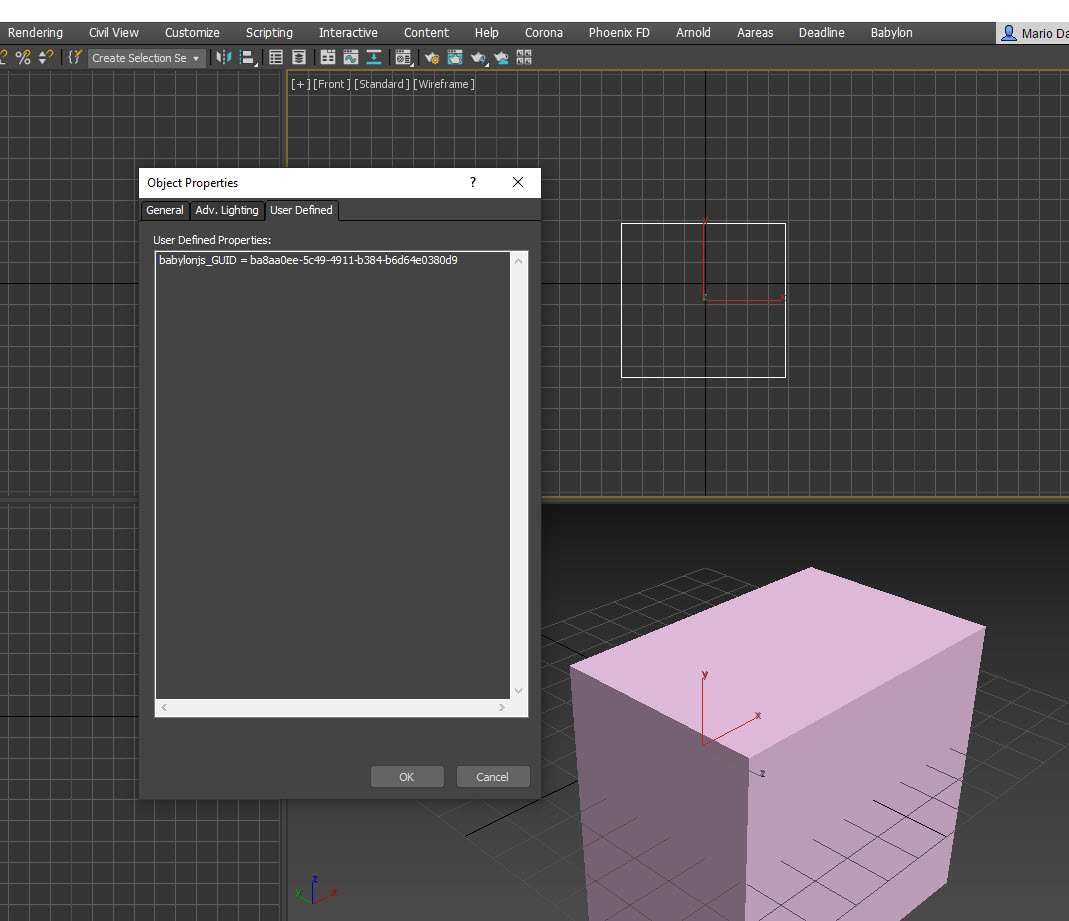
@kenc, I am not certain but I believe this GUID property is written to all objects when they are created in scene to identify them for the Babylon exporter. This is likely a core part of the exporter and should probably remain on the object. I have not extensively tested what happens if the GUID is removed, but I would expect instability in the exporter if it is.
@PatrickRyan we also use the meta tags for our work. I’m not sure if having this GUID tag will cause issues on our end. We are using the GLB exports in Unreal therefore we don’t need the tag.
@kenc, how are you applying your meta tags and exporting them to glTF, if I may ask? Our exporter will correctly export custom attributes according to the glTF specification, but those are custom attributes, not User Defined Object Properties. For example, I have a box that I have added four custom properties to, and you can see that the only User Defined Object Property is the GUID assigned by the exporter:

You can see in the exported glTF that the custom attributes are exported as “extras” in the file per the specification:

The node with the extras references meshes[0] which is the box, so the custom attributes are applied to Box001. As you can see, the GUID is not exported to the glTF as an extra, so the GUID does not affect the export at all.
I guess my question is how are you able to access your meta tags in Unreal if you are passing through glTF without writing the meta tags as custom attributes on your nodes? It does not seem like you would get anything in the glTF export. Are you passing along a helper file that exports User Defined Object Properties via a script and having an import script in Unreal that parses for its scene? If it is a script, it seems like you could strip out any property that starts with babylonjs_GUID but maybe I am missing context for your pipeline.
@PatrickRyan sorry for the late reply and thank you for the explanation. Our studio produces Unreal scenes of homes, complete with furniture, appliances, etc. You can select different appliances, furniture and all architectural elements(like replacing a Den with a bathroom). Currently Unreal is using the tags applied in MAX to indicate what option the meshes are assigned to. We export FBX to Unreal which carries these tags and Unreal is able to read them. I don’t work in the Unreal pipeline so I don’t know how it is happening. Unreal pipeline wants to try GLB export instead of FBX. I spoke to the Unreal team and they said don’t worry about these GUID tags. So I guess these discussion is no longer needed. Also I just wanted to clarify with guys as to how your tags work.
thank you
@PatrickRyan @srzerbetto Has there been an progress is fixing the max crash?
Hey @kenc , sorry, no progress so far.
I will try to setup a VM and see if I find a way to test against 2019 this week.
@srzerbetto Thank you. I need to take this 2019 into production
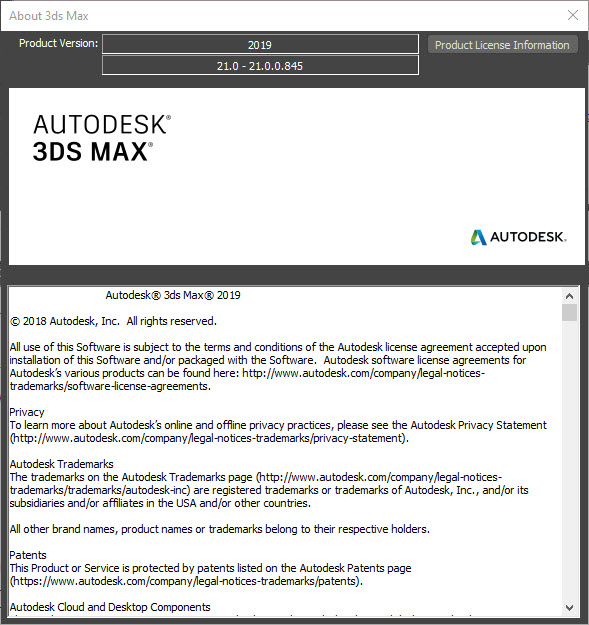
@kenc , I was able to create a Windows 10 VM and install 3DSMax 2019 on it. However, I’m not able to repro the bug, maybe I’m using the wrong version of 3DSMax 2019. Can you share which version you are using?
@srzerbetto Yes I’m using 21.0.0.845