@srzerbetto Sorry to bother you and I know you are busy. Any progress on this issue?
I tried a couple of times but I was not able to repro the issue. Do you do anything else when using Max 2019? Or is it just open 3DSMax, closed it, get an exception?
@srzerbetto I just open max and close it and it crashes
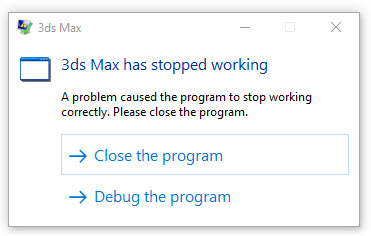
@srzerbetto If I uninstalled the babylon plugin, start max and close it, there’s no error.
@srzerbetto Happy new year
Have you been able to resolve this issue?
Happy new year @kenc ,
I tried multiple times to repro this and I was not able to. I’m not sure if something might be wrong with you 3DSMax installation or something. I think the only thing we can do at this point is for you to try to debug it and see if you can give more information about the issue.
Would you be able to install Visual Studio 2019 with the “.NET desktop development” workload and try to run the \3ds Max\Max2Babylon.sln solution from the exporters repo?
I can give you extra instructions once you have everything setup.
@srzerbetto Yes I will need help with what you are asking. I have no idea how to go about it.
@srzerbetto We have decided not use the babylon plugin. I thank you for your time and effort. May be we’ll have another look at it when we switch to MAX 2024. Thanks again.