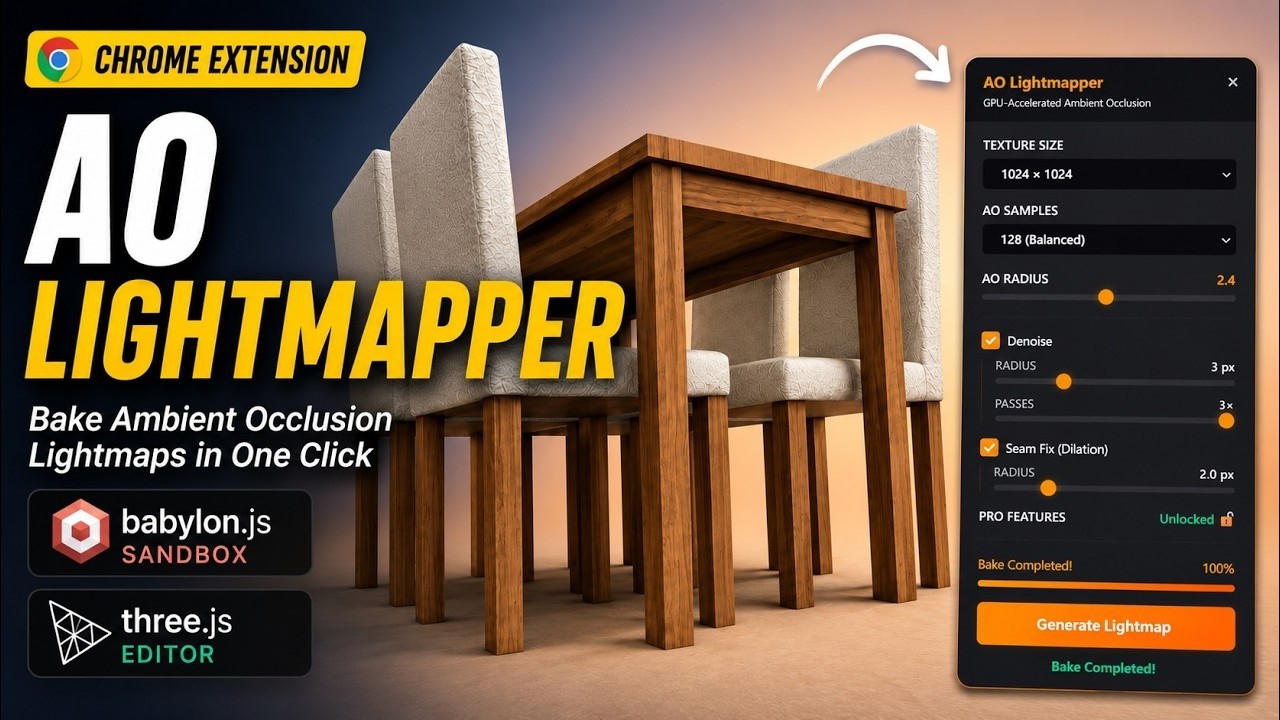
Quick AO Lightmapper is Now Live on the Chrome Web Store 🚀

A quick update for anyone who may have missed the original announcement.

Quick AO Lightmapper has officially been approved and is now available on the Chrome Web Store.

The extension integrates directly into Babylon.js Sandbox, adding a built-in Ambient Occlusion lightmap baker that works on top of your existing scene and allows you to preview results instantly inside the viewport.

Main Features

:white_check_mark: Import GLB and FBX (convert)

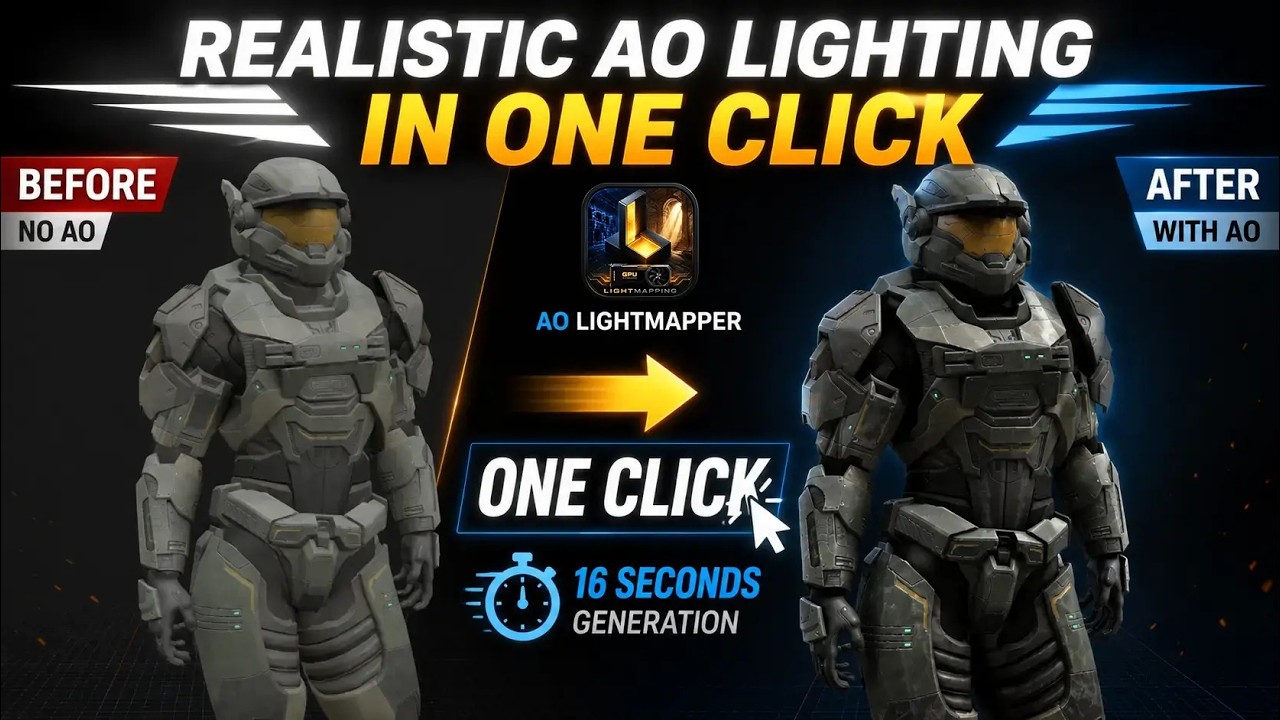
:white_check_mark: One-click AO lightmap baking

:white_check_mark: Direct integration with Babylon.js Sandbox

:white_check_mark: Automatic UV2 generation

:white_check_mark: GPU-accelerated baking

:white_check_mark: Real-time viewport preview

:white_check_mark: Select specific meshes for baking

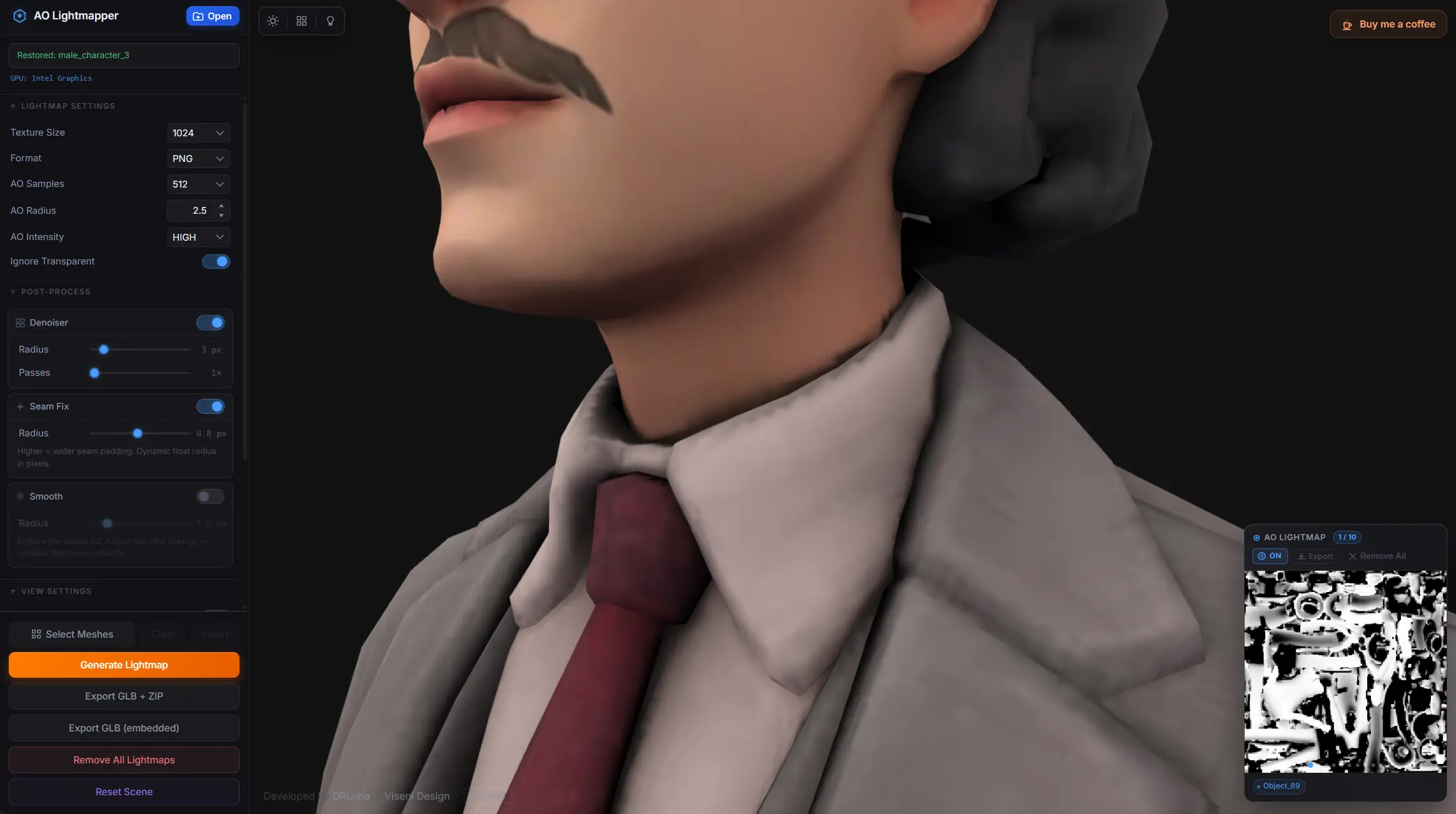
:white_check_mark: Denoising and seam-fix options

:white_check_mark: Download generated lightmaps instantly

The goal of the project is simple: make AO baking fast, accessible, and available directly inside the tools developers already use every day.

Free Tier Available

Quick AO Lightmapper includes a free tier that allows everyone to try the extension and use its core functionality.

For users who want to unlock the full experience, there is an optional support tier available through Buy Me a Coffee for just $4.

This contribution helps cover support, maintenance, bug fixes, and future development, while allowing me to continue building tools that benefit the Babylon.js community.

If you find the extension useful, your support is greatly appreciated and directly helps fund future updates and new projects.

Chrome Web Store

More examples

:movie_camera: Watch the demo:

As always, feedback, suggestions, and feature requests are welcome.

Thanks everyone for the support! :folded_hands:

Quick AO Lightmapper - Chrome Web Store

AO Lightmapper APP itchio

Quick update :rocket:

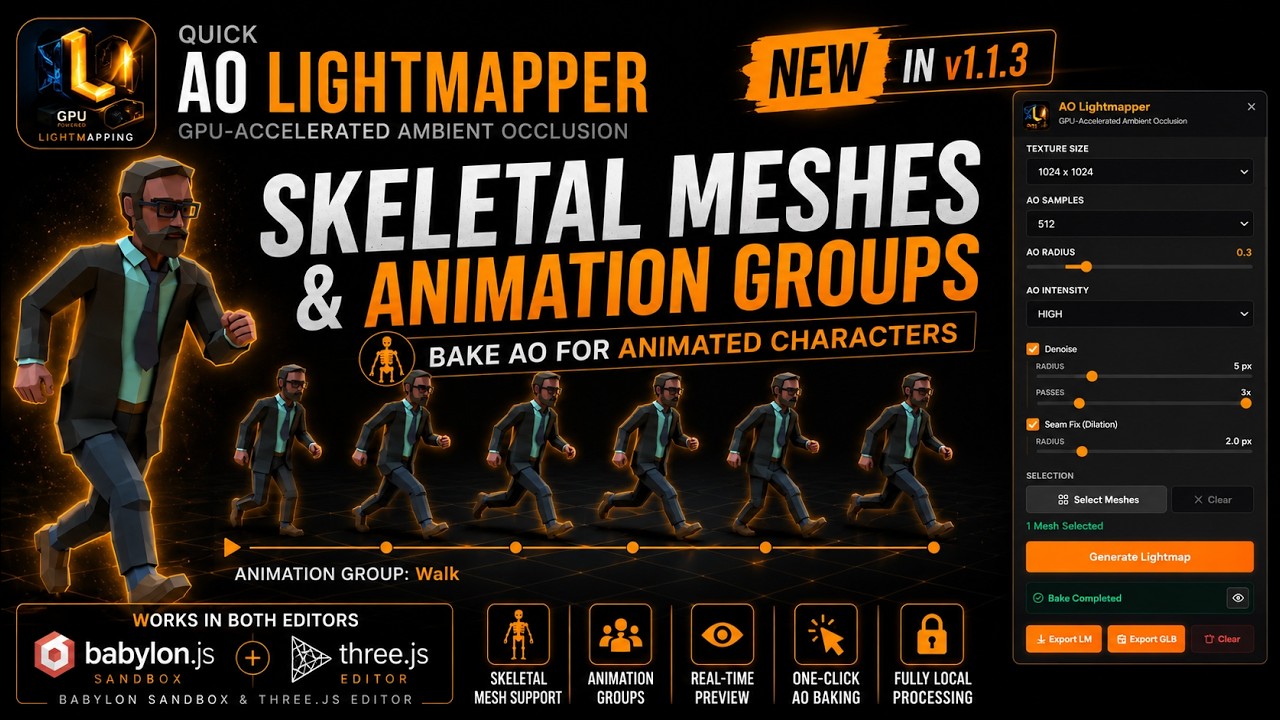
AO Lightmapping tested with Skeletal Meshes and Animation Groups.

I’ve recorded a short demo showing the workflow and the new character support in action.

:movie_camera: Video:

Feedback is always welcome!

AO Lightmapper 1.1.8 Update :rocket:

Version 1.1.8 is now available!

This update introduces several improvements to the Material Inspector and AO baking workflow.

What’s New

:white_check_mark: Metallic channel support

:white_check_mark: Unlit material support

:white_check_mark: Texture enable/disable switches

:white_check_mark: Up to 2048 AO Samples for higher quality baking

:white_check_mark: GPU information display (Integrated / High Performance GPU)

:white_check_mark: General baking and workflow improvements

This release focuses on giving users more control over materials while improving baking quality and hardware visibility.

As always, thank you for supporting the project and helping shape future updates through your feedback.

Happy baking! :rocket:

Available on itchio

Also now available on Gumroad

And the Chrome Extension for Babylon JS Sandbox

IMPORTANT - GPU PERFORMANCE

For the best baking performance, AO Lightmapper automatically detects and selects the most appropriate GPU available on your system whenever possible. No manual configuration is required for the desktop application.

For the Chrome Extension version (Quick AO Lightmapper), GPU selection is managed by the browser and operating system. To ensure optimal performance, it is recommended to configure your browser to use the system’s High Performance GPU.

Windows: Go to Settings → System → Display → Graphics, select your browser, and choose High Performance.

Linux: Launch the browser using the dedicated GPU (NVIDIA PRIME, Discrete Graphics, or your distribution’s equivalent option).

macOS: GPU selection is handled automatically by the system. For best performance, use the device connected to power and avoid power-saving modes.

The extension works on integrated GPUs, but a dedicated High Performance GPU can significantly reduce bake times and improve responsiveness.

you are on fire :smiley:

AO Lightmapper v1.2.1

New update available!

Stability & Performance

  • Improved overall application stability.
  • Improved lightmap baking performance.
  • Various internal optimizations and fixes.

GPU Management

  • Revised dedicated and integrated GPU management for better hardware compatibility and reliability.

Platform Support

  • Added installable Windows version.

Animated Characters

  • Enhanced AO baking support for skeleton animated characters.

Materials & Textures

  • Fixed UV unwrap issues affecting Albedo, Normal, Roughness and Metallic textures during AO lightmap baking.
  • Improved material preservation during the baking process.

Transparent Materials

  • Added a new option to control whether transparent materials should contribute to AO lightmap generation.

This update focuses on improving reliability, baking performance, material handling and workflow flexibility, especially for animated characters and scenes containing transparent materials.

If you would like to support the development of AO Lightmapper, you can purchase it on:

ITCHIO

GUMROAD

AND OF COURSE, CHROME-EXTENSION FOR BABYLON JS SANDBOX

Every purchase helps fund future development, new features, bug fixes and ongoing support for the Babylon.js community.

Thank you to everyone testing AO Lightmapper and providing feedback!

And support

And… AO Lightmapper v1.2.3 :rocket:

New update available!

Canvas Blur Function

  • Added a new blur function using Canvas and 2D Context.
  • This is a simple but very useful method to improve the final AO lightmap result.
  • It helps smooth the baked AO output without adding extra external dependencies.

Better Sandbox Compatibility

  • Avoids relying on additional npm libraries for this blur step.
  • This makes support easier for Quick AO Lightmapper for Babylon.js Sandbox.
  • Keeps the workflow lighter and more compatible with browser-based environments.

This update focuses on improving the final AO lightmap result while keeping the tool simple, lightweight and easier to support across different Babylon.js workflows.

If you would like to support the development of AO Lightmapper, you can purchase it on:

ITCHIO

GUMROAD

CHROME EXTESION FOR BABYLON JS SANDBOX

Every purchase helps fund future development, new features, bug fixes and ongoing support for the Babylon.js community.

Thank you to everyone testing AO Lightmapper and sharing feedback!

AO Lightmapper v1.2.4

New update available!

Changes

Improved AO Blur System

  • Enhanced AO Lightmap blur Post-Processing.
  • Better smoothing of generated ambient occlusion details.
  • Improved visual consistency while preserving important shading information.

Material & Texture Handling

  • Improved material processing during the unwrap workflow.
  • Better preservation of Albedo and Normal textures when generating UV layouts and baking AO lightmaps.

Parameter Controls

  • Refined parameter ranges throughout the application.
  • Updated minimum and maximum values to provide safer and more practical settings.

Denoiser & Seams Fix Review

  • Revised the denoiser pipeline.
  • Updated seam-fixing processing to improve lightmap consistency across UV islands.
  • Additional internal adjustments to improve overall bake quality.

This release focuses on improving final AO quality, texture preservation, and workflow reliability while continuing to refine the baking pipeline.

If you would like to support the development of AO Lightmapper, you can purchase it on:

ITCHIO

GUMROAD

CHROME EXTESION FOR BABYLON JS SANDBOX

Every purchase helps fund future development, new features, bug fixes and ongoing support for the Babylon.js community.

Thank you to everyone testing AO Lightmapper and sharing feedback!

AO Lightmapper v1.2.6

New and huge update available!

“This video is from version 1.2.5 but shows the main impressive features added in AO Lightmapper”

AO Quality Improvements

  • Improved Ambient Occlusion baking quality.
  • Smoother AO results with better detail preservation and fewer visible artifacts.
  • Additional improvements to the UV unwrap system.
  • Better UV generation and packing quality for lightmap baking.

Character AO Baking Improvements

  • Added an option for character pose adjustment system to slightly separate the legs before baking.
  • Helps prevent unwanted self-shadowing between intersecting or closely positioned body parts.
  • Produces cleaner, more natural ambient occlusion results on humanoid characters.
  • Particularly useful for characters imported in neutral or closed-leg poses.

Improved Viewer Consistency

  • The viewer now uses the Ambient Occlusion texture channel for displaying Real Baked AO results.
  • Provides visual consistency between the viewport preview and exported assets.
  • Improves compatibility with both Three.js and Babylon.js material workflows.
  • What you see in AO Lightmapper is now much closer to what you will see in your final application.

Three.js Editor Compatibility

  • Improved export system compatibility with Three.js Editor.
  • Texture references are now automatically detected during export.
  • Better interoperability between Three.js and Babylon.js workflows.

Material Inspector Enhancements

  • Major upgrade to the Material Inspector.
  • Modifying the materials within AO Lightmapper allows for greater precision in generation and better results.
  • Added support for advanced PBR material properties:
    • Clear Coat
    • Iridescence
    • Sheen
    • Subsurface Scattering

Animation Tools

  • Added timeline controls when animations are detected.
  • Added the ability to remove animations directly from the scene.
  • Added previous and next controls to the animation timeline panel.
  • Added Ctrl+Z support to restore deleted animations.

Transform Tools

  • Added input fields for Position, Rotation, and Scale editing.
  • Added viewport transform controls for Position, Rotation, and Scale.
  • Added standard keyboard shortcuts:
    • W → Move
    • E → Rotate
    • R → Scale

Compact Mesh Hierarchy Panel

  • Added a compact and easy-to-use Mesh Hierarchy panel.
  • Faster scene navigation and object selection.
  • Improved workflow when working with complex models.
  • You can now delete meshes by selecting them and pressing Delete. Ctrl+Z is also supported to recover deleted meshes.

User Interface Improvements

  • Reorganized parameters in the side panel for a cleaner and more intuitive workflow.
  • Improved accessibility of commonly used controls and settings.

Per-Material AO Control

  • Added an independent AO Level setting for each material.
  • AO intensity can now be adjusted individually across different materials within the same model.
  • AO settings are correctly preserved during export.
  • AO values are properly restored when reopening a project or recovering a previous session.

AO Preview Improvements

  • Fixed an issue that prevented AO lightmaps from being displayed correctly in the preview.
  • Added a new AO View button in the Lightmap Preview panel.
  • Instantly visualize only the generated Ambient Occlusion maps.
  • Fully integrated with the Material Inspector for easier material-by-material inspection.

Session Recovery & Auto-Save Improvements

  • Improved and optimized the automatic parameter saving system.
  • More reliable session restoration after restarting the application.
  • Material settings are now restored more consistently.
  • Per-material AO values are correctly recovered.
  • Smooth and other baking parameters are now preserved more reliably between sessions.

User Experience Improvements

  • Improved loading feedback throughout the application.
  • Enhanced progress visualization during long operations.
  • Clearer status reporting while processing large models and baking AO maps.

Stability & Workflow Improvements

  • Multiple internal optimizations and bug fixes.
  • Improved reliability across the baking and preview workflows.
  • Better overall user experience when working on complex scenes and large projects.

This release focuses on higher-quality AO generation, improved character baking workflows, better interoperability with both Three.js and Babylon.js, a significantly more capable material system, and new scene editing tools for faster asset preparation.

Thanks to everyone testing AO Lightmapper and providing valuable feedback!

AO Lightmapper v1.3.1 :rocket:

New update available!

Highlights

  • Added export optimization options:

    • Global texture format selection

    • Texture size control

    • Draco compression

    • Meshopt compression

    • Prune/Clean optimization

  • Added WebP support for AO Lightmap export alongside PNG and JPG.

  • Improved export workflow for generating smaller and more efficient assets for Babylon.js and Three.js projects.

  • General optimization and performance improvements across the application.

This update focuses on reducing exported asset size and providing more control over optimization settings while maintaining AO quality.

Quick AO Lightmapper Chrome Extension also updated :rocket:

I’ve also updated the Quick AO Lightmapper for Babylon.js Sandbox Chrome Extension to keep it aligned with the latest AO Lightmapper improvements and workflow updates.

Chrome Web Store:

LIMITED LAUNCH EVENT UPDATED :star:

Free Licenses Available

There are still 11 free AO Lightmapper licenses available for anyone interested in trying the tool.

Claim yours here:

Thanks again to everyone testing AO Lightmapper and sharing feedback!