I am attempting to create an Earth model similar to Cesium, utilizing TMS sliced maps. However, I have encountered issues where the textures do not stitch as expected, and the deformation at the North and South Poles is severe. I have tried adjusting UVs and inverting textures, but I am unable to pinpoint the problem. I believe Babylon can accomplish all of this, but I require assistance. Does anyone have any suggestions in this regard?
earth with TMS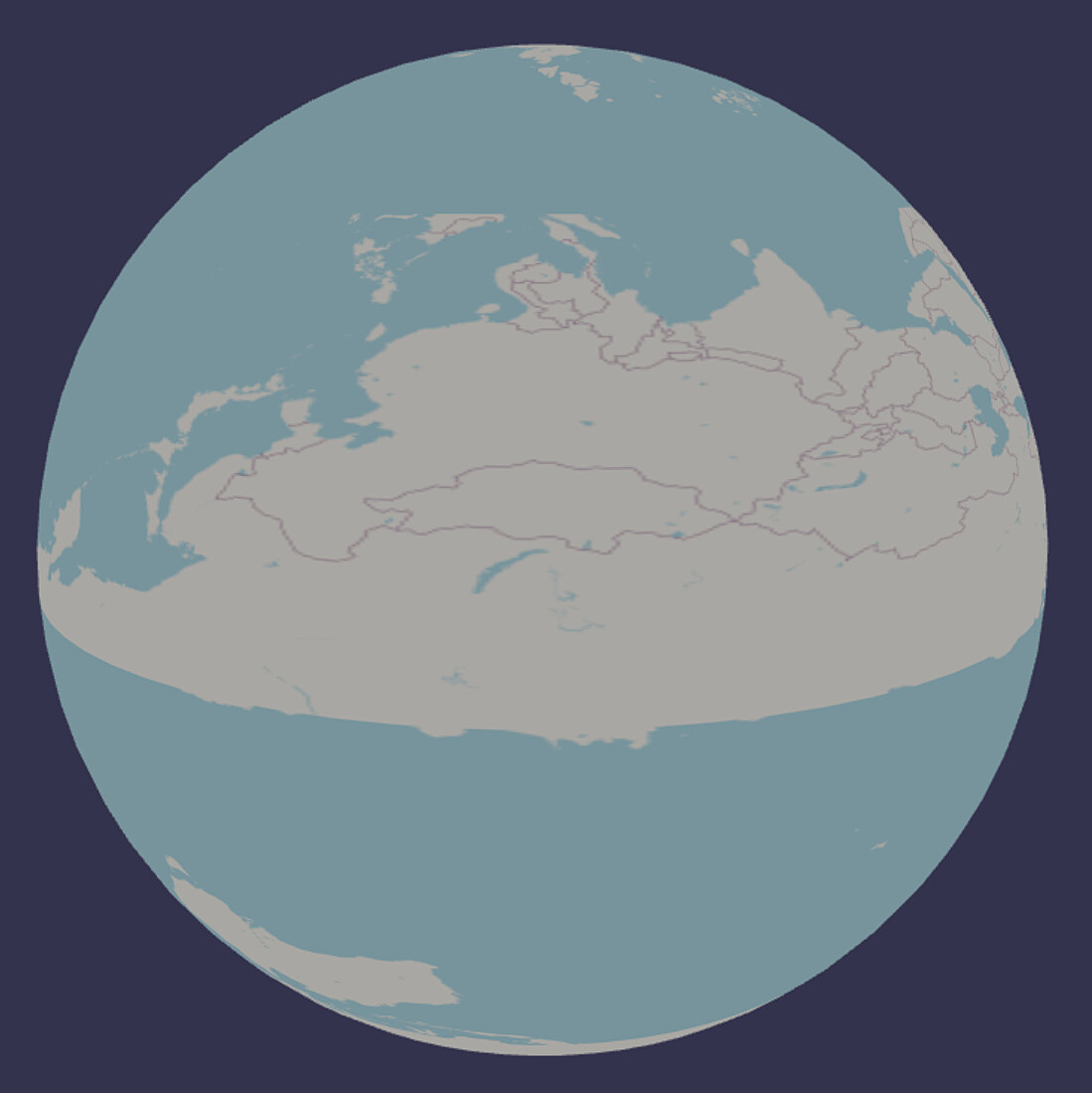
I believe the tile server by default is using a mercator projection which will not work for a sphere, you need a spherical projection like EPSG:4326 or WGS 84.
I dont have a direct fix for your setup but you can take a look at how we did it for the globe prefab in Anu using open layers.
edit: there is a three library that uses slippy tiles like you are trying to do and it looks like they are manually stretching the mercator projection, if I am understanding it right.
To wrap a sphere, I think you need what’s called an equirectangular projection. I’m guessing those Mercator equations are implementing the reverse Web Mercator (i.e. to equirectangular). For practical, world-scale purposes, a map using lon/lat in WGS84 or EPSG:4326 should give you a close-enough result.
The end result on a world map is a rectangle with X=Longitude and Y=Latitude.
TMS servers do seem to return in Web Mercator projection:
Coordinate system: Usually Web Mercator (EPSG:3857) to achieve compatibility with most online map services (such as Google Maps, Bing Maps).
Edit: on review, it looks like they are mapping uv coordinates on the sphere. Similar to the three.js thread here
I removed the promises and simplified uv handling and just used a single canvas. Not sure this is fully correct, but looks much closer.
There is the big issue of all tiles being updated instead of only those in view.
Also, not sure why the canvas repeatedly resets to all black. I’ll revisit this later.
I still haven’t implemented conversion from mercator, but I think I’ve addressed the updating. I’ve also added options for skipping image download, using a flat map, and drawing image boundaries over the tiles (drawing image boundaries is on by default so you can clearly see the update progress).
I’ve also added max 5 simultaneous images downloads and when the zoom changes, remaining images in the queue are essentially skipped and only images matching the current zoom level are drawn.
It’s much more responsive.
A big improvement to be made would be to only download tiles in the current view. Oh, and fix the projection 
Edit: Scaling existing images to new scale so the map doesn’t just disappear when zooming should make this much more usable. I don’t at all like the “flood the server with image requests when zoom changes” that occurs now.
Edit2:
Conversion!
(Continents jump around a little when zooming and loading new tiles. I’m guessing the converion is not quite right)
Because Web Mercator has vertical and horizontal latitude and logitudes, the conversion is made from the zoom level and tile x/y into the canvas upper left x & y and tile width & height on the canvas.
Used google AI to get a tile’s lat/long boundaries from openmap tile x, y, zoom. Then I convert that to canvas x,y,width,height, and draw the image at the correct location on the texture that represents equirectangular coordinates. The texture wraps on a sphere there’s your planet!
Last step would be to only download visible tiles, but I have to think about how to get those max & min lat & lon coordinates.
You have given me immense inspiration, and I am profoundly grateful!
I will try to understand all of this. Thank you !
Playing around with my modifications especially with TMS zoom level 0, 1, and 2, I think it’s clear that my implementation is not quite right. I am linearly stretching each tile.
What needs to happen is to either draw each tile on the canvas that includes stretching using stretching implied by the mercator projection (hard) or modify the uvs on the mesh (easier) or (maybe) convert the uvs when drawing (unnecessary performance hit).
When I get a chance, I’ll update with uv modification of the mesh.