Cool stuff Necips, I am excited to know where that leads to…
I have done some fractional brownian motion in the nme:
Cool stuff Necips, I am excited to know where that leads to…
I have done some fractional brownian motion in the nme:
Hey! do you want to add it as a link from the documentation ? it is pretty rad!
Sure, thank you.
Will I have to add it? I don’t know if I would have the time for a PR any time soon, since I am about to go abroad.
Cheers
Actually we now have a page in the forum directly (which is referenced from the doc): Node Materials Examples
It would be far faster if you don’t dispose/recreate a new mesh each call, but if you update an existing mesh instead. I think that it could keep 60 fps with several shadows.
attempt onto a non planar terrain : https://www.babylonjs-playground.com/#NALFWH#5
wireframed : https://www.babylonjs-playground.com/#NALFWH#6
I like the fact that facet projections overlap because it looks like natural projections : the shadow could be darker when the light is occulted by thicker layers.
https://www.babylonjs-playground.com/#UGLGTJ#23
hi i do it by GPU but that just work on flat planes
https://www.babylonjs-playground.com/#SVZL1I#31
https://www.babylonjs-playground.com/#SVZL1I#32 - with second camera MultiView
https://www.babylonjs-playground.com/#SVZL1I#32 - with visible red lines
https://www.babylonjs-playground.com/#SVZL1I#34 - divided viewports
Yes, it is a pity that usual Babylon mirrors don’t reflect other mirrors 
I think in order to create reflections of a mirror in another mirror (or mirror tunnel) we need to add additional camera (view from the mirror).
Didn’t have time to experiment, still here is small example - Babylon.js SCREENSHOT MAKER Prototype
When you click button, camera renders current screenshot on the plane.
Well, we need to experiment with magic mirrors
Such kinds of recursions have some magic…
I think the order of rendering is very important here.
So you pass the screenshot from the 1st camera to the 1st mirror, then capture this result with the 2nd camera to draw the 2nd mirror, then again. Maybe the 1st camera works with odd frames, and second - with even ones.
Another idea - since we can use webcam, it is possible to build 3D mirror fun house, to entertain visitors with their distorted reflections which are impossible to see without laughing
Well, as developer you should know the main secret: we all (and the world itself) are made from particles…
I remember making this, I still gotta do the Quad Render for that…
http://pryme8.github.io/Magic_Marble/editor
Somebody might get something out of this…
Add a platform, player spawn, goal ect then hit play.
Controls are wsad for movement and arrows for camera.
This is from a long time ago so things have prolly changed quite a bit within BJS… but somebody might find some use.
https://pryme8.github.io/LSBAG/
Example basic space shooter…
I’ve got a bunch more that I need to fix and upload…
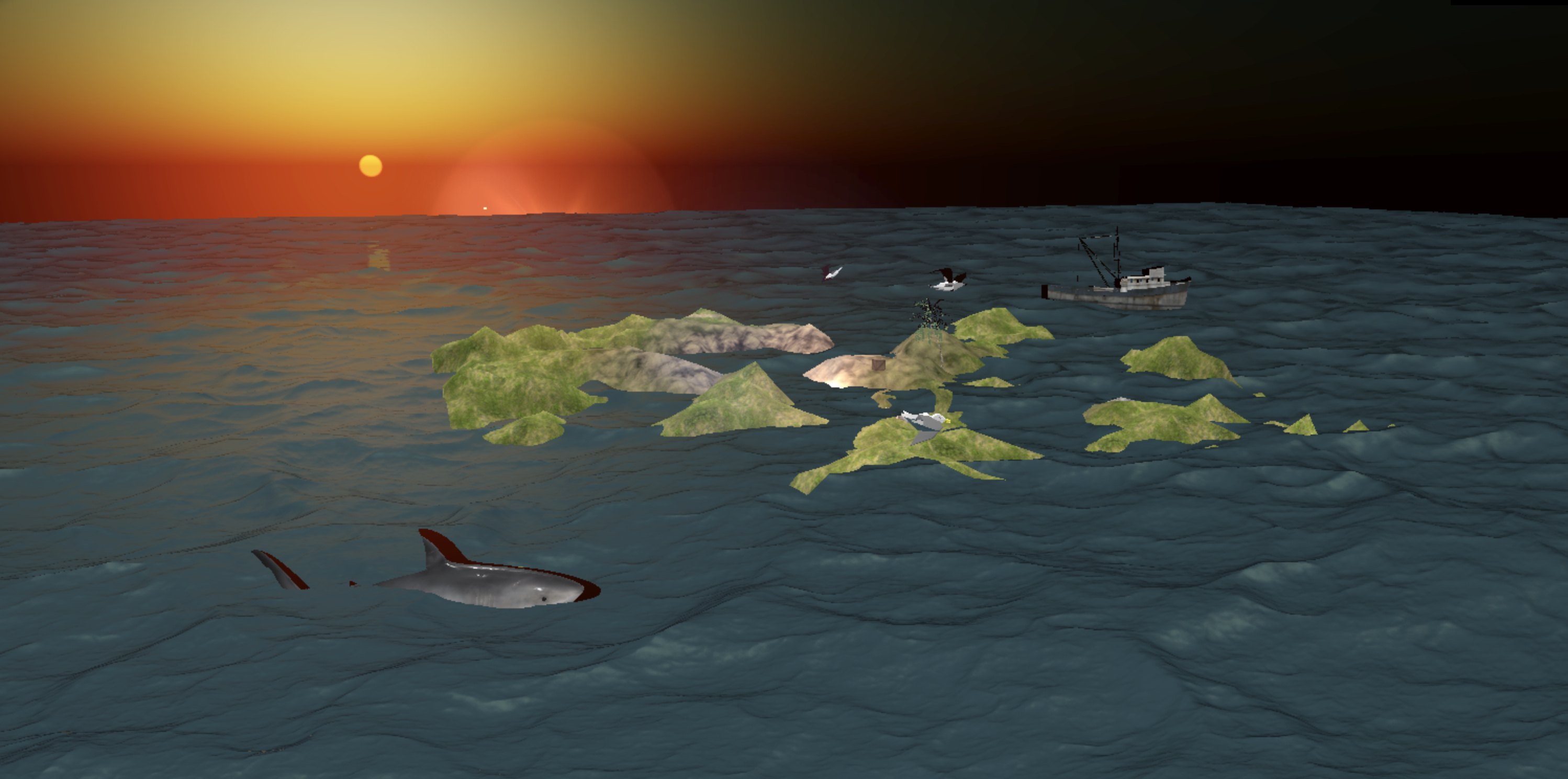
Scene of Ocean and sunset with Shark and Ship with couple of seagulls flying around. I have used spatial effect in sound by attaching sound to Mesh
Demo: Hitesh Sahu
I have used Babylon post processing for Ocean. But since ocean post processor is not optimized for mobile devices so I have used Perlin Noise for Mobile phones.
Another one where I have used Ammo Js plugin to show relative mass & size of solar system planets:

Demo: Hitesh Sahu