Hi everyone!
During the azure being down I noticed that I have this one dependency https://cdn.babylonjs.com/glslang/glslang.js being loaded from the cdn. I guess this is needed because of webgpu, but how can I load it locally instead of cdn?
Thanks in advance 
You can pass in your own path to glslang.js when constructing the engine. Something like…
const engine = CreateAsync(canvas, {
   glslangOptions: {
      jsPath: `${basePath}/glslang.js`
      wasmPath: `${basePath}/glslang.wasm`
   }
});
See Babylon.js/packages/dev/core/src/Engines/webgpuEngine.ts at ff1b476f06d6e5d357fdd82467e8809788327faa · BabylonJS/Babylon.js · GitHub for reference.
Managed to get that handled, thank you! Now I have a next issue with `twgsl` I managed to get copies of it from the github, but now I need to find how to point those locally as well…
      twgslOptions: {
        jsPath: `${assetPath}/babylonjs/twgsl.js`,
        wasmPath: `${assetPath}/babylonjs/twgsl.wasm`,
      },
      glslangOptions: {
        jsPath: `${assetPath}/babylonjs/glslang.js`,
        wasmPath: `${assetPath}/babylonjs/glslang.wasm`,
      },
This seemed to finally do the trick 
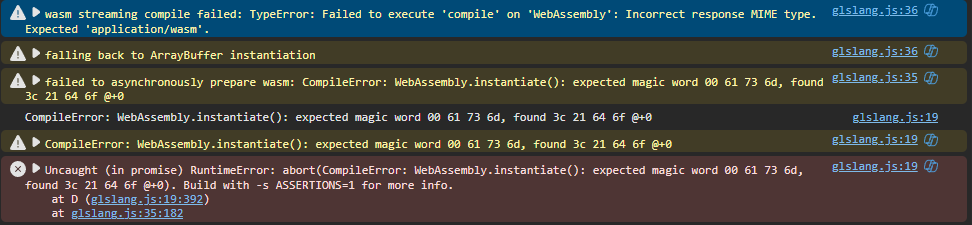
It seems I celebrated a bit too early, when doing a production build I get webassemby errors  :
:
Edit: It was just 404 not found error, I didn’t include the wasm files to production since they were git ignored 
Ok azure is back online folks. We should be good