Material transitions

Hello

I am looking for examples of transitions between 2 states in a product configurator. It can both be change meshes or change materials on a mesh.

Sort of like this, where paint changes with a nice transition. Imagine the same scenario but where the rims could also change to another mesh

Bonus if the example could use something like GL Transitions

A quick search on the forum led me to this : Switch Material with Fade Effect - #5 by Andrea_Distefano
I guess there are plenty of examples made with NME. cc @PatrickRyan

@Boye, the examples you are showing are simply the interpolation between two inputs - color, image, or any other input - using a screen space gradient. In the case of the cars, dropping a new paint seems to be interpolating only between base color - though there may be interpolation of roughness/metallic if one of the paints has a metal flake in it. The clear coat on the material does not change so you could simply have two color inputs (current and next) in the shader wired to base color. Using a screen space gradient that can be animated will handle the transition between them. This way the gradient does not wrap in UV space, but instead uses screen UVs to wipe from the center.

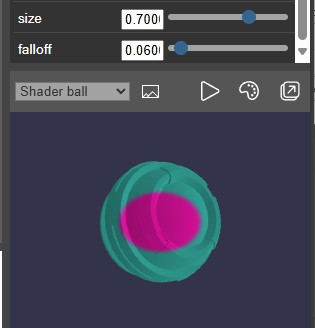
This example shows a screen space gradient created from screen UVs that are driving the color change on the shader ball. You can see that no matter how you rotate the mesh, the gradient stays the same:


We also have a couple of floats that allow us to control the interpolation and its falloff.


This is a super simple example that could benefit from calculating screen aspect ratios, adding some animating noise into the interpolation mask, dialing in for scale and camera position, etc. But this should at least get you started down the path. Let me know if you have more questions.

Thanks @PatrickRyan and @Cedric but I was looking for something that could work in a more “generic” way, so it could be used for anything

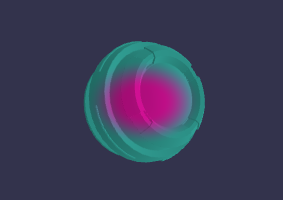
I got this so far, using chatGPT:

(click on the canvas to toggle the transition, change line 56 to directionalWarp, directionalWipe, wind or perlin to change effect)