Hi there,
I know that mesh decals are not supported for source meshes, that are altered with morph targets.
The resulting decal is based on the initial size of the mesh (influence = 0), as I can see in my PG example.
- white box: morphed source mesh
- black box: created decal

I just wonder why this limitation exists, since mesh decals are supported for skeletons already, which are quite similar to morph targets and even more complex to handle IMO.
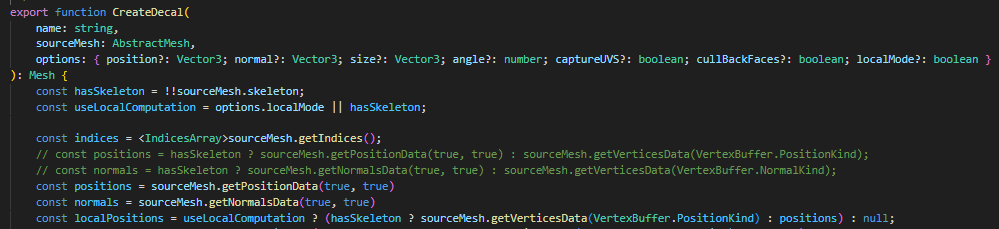
Infact, the code path for skeletons already seems to work fine for morph targets as well, since sourceMesh.getPositionData(true, true) // applySkeleton: true, applyMorph: true is already called.
Using sourceMesh.getPositionData(true, true) over sourceMesh.getVerticesData(VertexBuffer.PositionKind) as default already made my PG example work locally.

Maybe I am just missing something here…
Anyway, if I am on the right track I am very willing to contribute a PR.
best regards
Markus
 You are totally on the right track and I will be happy to review your PR