Sandbox: error loading model using webgpu

Engine: WebGPU
Version: 8.10.1
Browser: Chrome 137
OS: Windows

Steps to repro:

  1. Open the webgpu sandbox: https://sandbox.babylonjs.com/?webgpu
  2. Load the gltf file

Expected: It loads and renders.

Actual:
Script error. Check the developer console.
And in the developer console said:

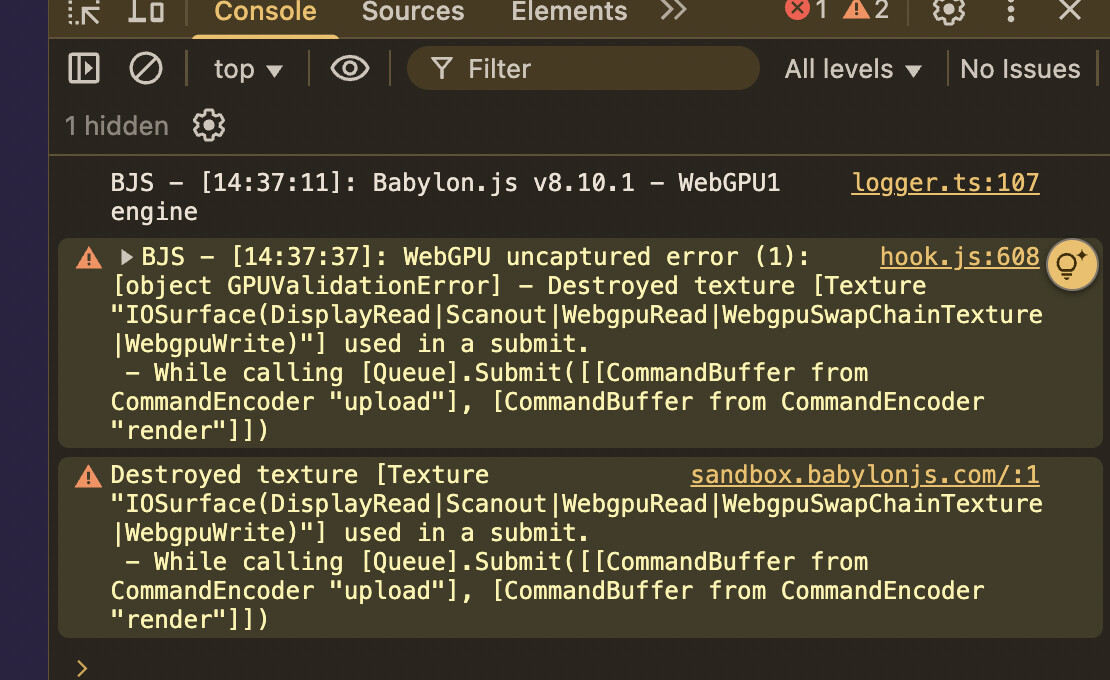
logger.ts:107 BJS - [16:55:21]: WebGPU uncaptured error (1): [object GPUValidationError] - Destroyed texture [Texture (unlabeled 1114x532 px, TextureFormat::BGRA8Unorm)] used in a submit.
 - While calling [Queue].Submit([[CommandBuffer from CommandEncoder "upload"], [CommandBuffer from CommandEncoder "render"]])

e._LogEnabled @ logger.ts:107
(anonymous) @ webgpuEngine.ts:707
sandbox.babylonjs.com/:1 Destroyed texture [Texture (unlabeled 1114x532 px, TextureFormat::BGRA8Unorm)] used in a submit.
 - While calling [Queue].Submit([[CommandBuffer from CommandEncoder "upload"], [CommandBuffer from CommandEncoder "render"]])

The gltf file also attached here:
oval.zip (385.6 KB)

I’m not sure how you get this error, because when I test the model in the Sandbox in WebGPU mode, I do have the “Script error. Check the developer console.” error, but nothing in the console log.

So, I tested in a PG, and I get the error:

Uncaught TriangleFan is an unsupported fillmode in WebGPU

The problem is that “triangle fan” topology is not supported by the WebGPU specification. You should re-export your glTF file by using another topology (“triangle list” for example).

1 Like

I can repro with both models:

I think the model is way too big :slight_smile:

If this is the root cause, maybe re-throw it to make it visible in the developer console

So, I was able to reproduce the error in Edge, not in Chrome nor Firefox. But for some reasons, the “Uncaught TriangleFan is an unsupported fillmode in WebGPU” error only shows up in a PG… Can you export the model with another topology and see if that works?

Yeah it works, here is a model re-exported from blender.
oval.zip (389.4 KB)

1 Like