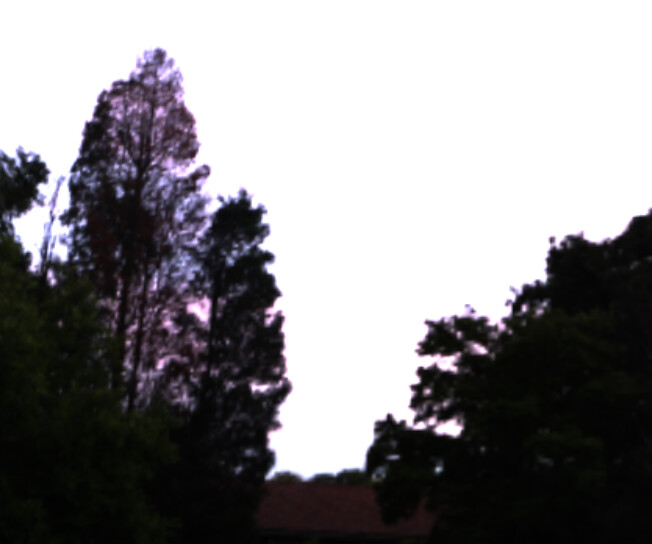
I have a question simple to ask; how do I make my skybox more high-res? you can see the visible pixels, and we’re using a high-res photo just don’t know why.. it’s like this.
import {
  Scene,
  Engine,
  FreeCamera,
  Vector3,
  Sound,
  HemisphericLight,
  MeshBuilder,
  CubeTexture,
} from "@babylonjs/core";

export class BasicScene {
  scene: Scene;
  engine: Engine;

  constructor(private canvas: HTMLCanvasElement) {
    this.engine = new Engine(this.canvas, true);
    this.scene = this.CreateScene();

    // 1. THE FIX: Unlock Audio on first user interaction
    const unlockAudio = () => {
      if (Engine.audioEngine) {
        Engine.audioEngine.unlock();
        window.removeEventListener("click", unlockAudio);
        window.removeEventListener("keydown", unlockAudio);
      }
    };

    window.addEventListener("click", unlockAudio);
    window.addEventListener("keydown", unlockAudio);

    this.engine.runRenderLoop(() => {
      this.scene.render();
    });

    window.addEventListener("resize", () => {
      this.engine.resize();
    });
  }

  CreateScene(): Scene {
    const scene = new Scene(this.engine);

    // Camera setup
    const camera = new FreeCamera("camera", new Vector3(0, 1, -5), scene);
    camera.attachControl(this.canvas, true);
    camera.speed = 0.25;

    // Light setup
    const hemiLight = new HemisphericLight(
      "hemiLight",
      new Vector3(0, 1, 0),
      scene
    );

    hemiLight.intensity = 0.5;

    // Sky
    const envTexture = CubeTexture.CreateFromPrefilteredData("./assets/skybox/bryanston_park_sunrise_8k.env", scene);
    scene.environmentTexture = envTexture;
    scene.createDefaultSkybox(envTexture, true);

    // Environment
    MeshBuilder.CreateGround("ground", { width: 10, height: 10 }, scene);

    const ball = MeshBuilder.CreateSphere("ball", { diameter: 1 }, scene);

    ball.position = new Vector3(0, 1, 0);

    // 2. THE SOUND: Using the callback to ensure it plays
    const music = new Sound(
      "outdoorAmbience",
      "./assets/sounds/outside.mp3", // Ensure this path is correct in your public folder
      scene,
      () => {
        // This function runs when the sound is loaded
        console.log("Sound ready");
      },
      {
        loop: true,
        autoplay: true,
        spatialSound: true,
        distanceModel: "exponential",
        maxDistance: 100,
      }
    );

    // Position the sound 5 units to the right
    music.setPosition(new Vector3(5, 1, 0));

    return scene;
  }
}

const canvas = document.getElementById("renderCanvas") as HTMLCanvasElement;

new BasicScene(canvas);
Any ideas how to make it in high-res?