Hi everyone! We’d like to share how we use Babylon.js in Aiclo, our cloth pattern designing service. The engine handles 3D rendering of a digital avatar and the designed cloth, and also powers a special sketch-like rendering mode used in printable documents.
Live scene ( https://aiclo.com/app/projects/shared/9563bebcccb3560e )
Another live scene ( https://aiclo.com/app/projects/shared/1496b8c90f8a74d4 )

Materials & Shading
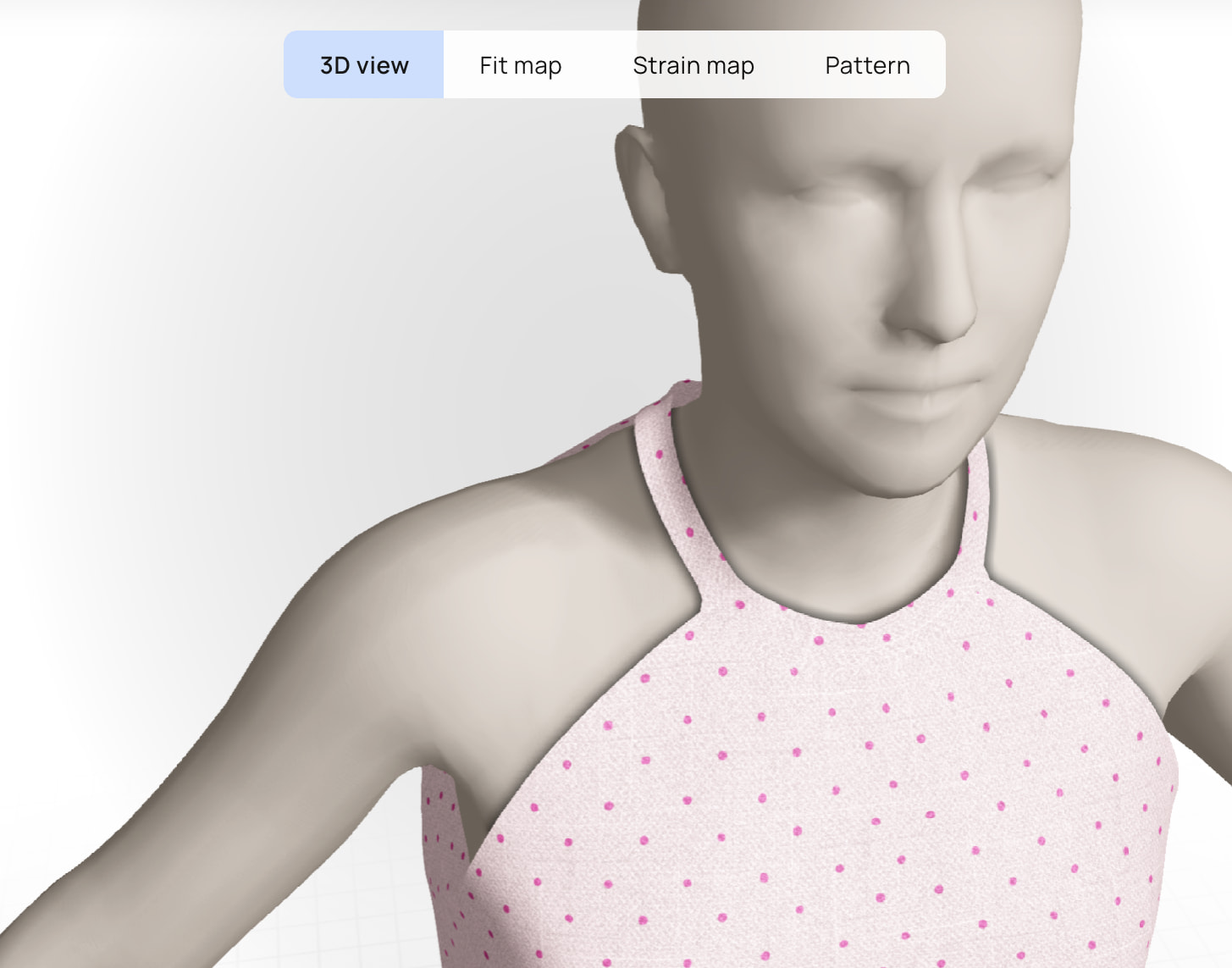
We extended the StandardMaterial with custom shader additions to implement so-called contact shadows — these add more contrast on the avatar surface near cloth edges.
For the sketch rendering mode we use double-sided rendering with separate materials, combined with EdgeDetectionPostProcess and a custom “flat white” double-sided material.

For the environment, we wrote procedural shaders for the floor grid texture and the background gradient.
Cloth & Avatar Rendering
To let the user simultaneously choose both a cloth type (cotton, linen, organza, etc.) and a motif, we use multitexturing.
Beyond Babylon’s built-in controls, we maintain a large material parameters table — specular, ambient, diffuse, textures, scene parameters, post-effect parameters, and more — for different cloth and color combinations. We even procedurally modify some textures using hand-crafted formulas when the user picks a new color for the fabric.

Per-vertex coloring is used to render heat maps for fit and strain visualization. Seam line geometry is generated with the Tubes mesh builder.

Scene Setup & Performance
Our common scene setup includes FXAA, contact-hardened shadow maps with a blur kernel, an ArcRotate camera with custom limits, and a single point light. The Draco format loader came in very handy for reducing mesh data traffic.
We also use the screenshot-making tool from the Babylon.js tools package.
A couple of things we experimented with but ultimately moved away from: we tried SSAO, but were not able to achieve pleasing results, so we decided to turn it off — though the setup is still present in the code. TAA produced artifacts on some lower-end GPUs, so we stuck with FXAA instead.
Happy to answer questions, if any.


