@j-te PR is up with the fix here: Inspector v2: Fix regression in hiding properties by ryantrem · Pull Request #17860 · BabylonJS/Babylon.js. Thanks again for the heads up!
@Joe_Kerr I’m not able to repro this so far. I don’t see any change in frame rate when I enable Inspector with that Playground, and I see very little activity in Inspector v2 while the scene is running (mostly just a once per second sampling of some stats for the stats pane). I tried in Chrome, Edge, and Firefox and got the same results. Is there anything else you are doing for your repro besides just loading the PG and opening Inspector? Also does it repro for you in either Chrome or Edge, or only Firefox?
Nope: slight jitters on inspector load and UI resize/navigation but always smooths to 60fps. Have you tried washing your RAM 
 Scene Explorer hotkeys and disposing/deleting entities
“Hotkeys” (e.g. keyboard shortcuts) for Scene Explorer commands are now supported, and a new context menu command has been added for disposing any disposable entity, and this command is bound to the delete key. That is, you can now select items in Scene Explorer and press the delete key to dispose it (if it has a dispose function).

3 Likes
Yeah, in the past, with a cup of coffee 
Repeating: Same playground as above. Not doing anything (no camera move, no editor scroll, etc.).
Chrome (144.0.7559.133 | Intel GPU): Steady fps. Turn on Inspector. Fps start to fluctuate wildly between 55-60fps. Turn off Inspector, back to 60fps.
Firefox (147.0.3 | Intel GPU): Same as described previously. Also, the fluctuation is between 29-35fps. Turn off Insepctor, stuck at 40fps for a while; then going back to 60fps.
Firefox (147.0.3 | Nvidia GPU): Same. (weird)
Not that I am aware of. Task manager:
- Idle: CPU 0-5%, MEM 37%, GPU 0%
- Ready playground (disregarding initial loading spike): CPU ~10%, MEM 37%, GPU 56%
- Turn on Inspector: CPU 7%, MEM 37%, GPU 28% (huh??)*
*Maybe due to canvas width shrinking? But shrinking code editor to counter act with a now much larger canvas width than before, GPU 34%
If you see any patterns here or have an idea what else I could test, shoot.
But I would suggest, if nobody else has performance issues and given that there still is v1 as backup, we mark it as sth wrong with my PC?
I do not repro either but I have no intel card so maybe it is related?
I can reproduce (intel igpu) on both Chrome and Firefox at 4K resolution, with a more significant impact on Firefox. However, the issue disappears when switching to 1920x1080.
2 Likes
Hmm, I’ve tried to repro on a device with a 4k display, and also on an old laptop with an integrated gpu and I’m still not able to repro! Racking my brain trying to think of what else can be going on… some follow ups that might help:
- I assume from other comments this is on a Windows machine (not MacOS)?
- Does this only repro for Inspector v2? You can still use Inspector v1 by specifying an
inspectorv1query param for Playground or Sandbox. Just want to verify this is specific to Inspector v2.
I just ran a test using only Firefox (Windows) with my RTX 3060. It runs smoothly at a solid 60 FPS with this playground using Inspector v1:
Running the same test with Inspector v2 shows a few FPS drops. (Video capture is not involved — recording the same way with v1 still gives a solid 60 FPS.)
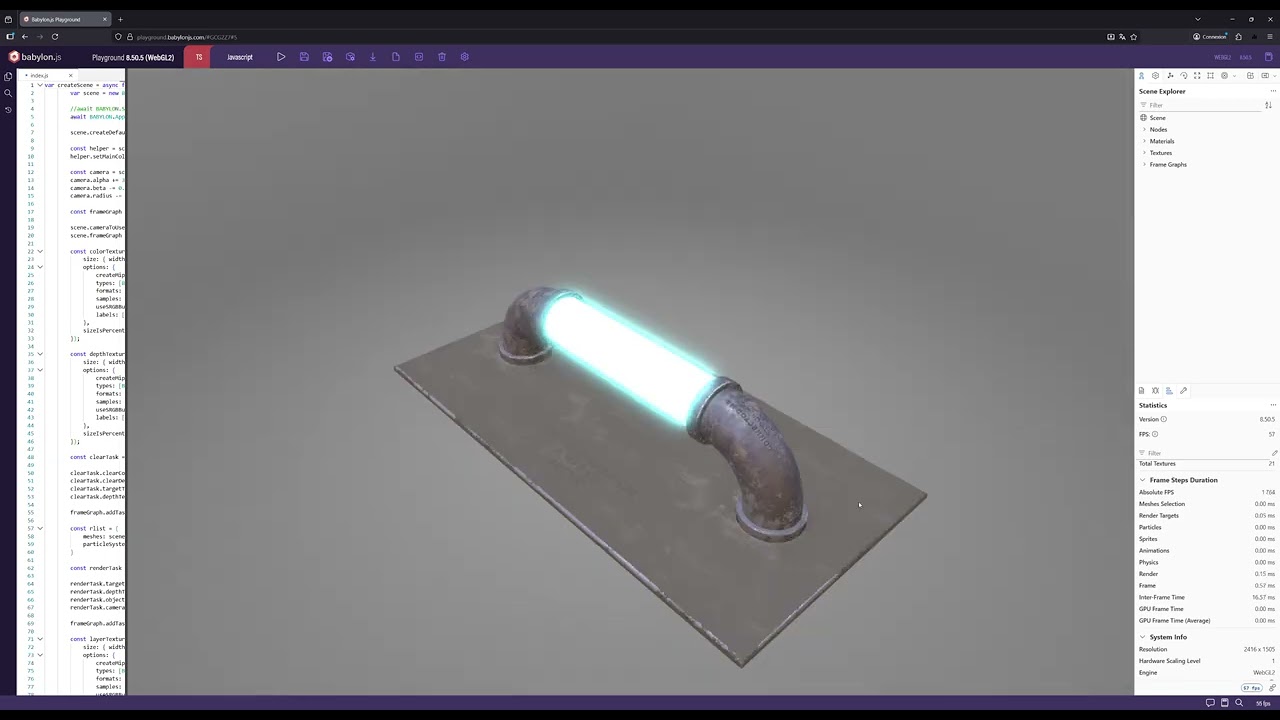
1 Like
@samuelgirardin can you run a perf analysis to spot where we should look?
1 Like
Just a heads up - we reworked how settings are stored in Inspector v2, so when you try a new build in the next couple of days, you will probably experience lost settings (installed extensions, side pane layouts, scene explorer sort mode, etc.). Apologies for the inconvenience as we finalize some things for the upcoming 9.0 release!
1 Like
I can reproduce the difference in fps between inspector v1 and v2 this way:
- start chrome with the
-disable-gpu-vsync --disable-frame-rate-limitflags. With a default installation of Chrome:"C:\Program Files\Google\Chrome\Application\chrome.exe" --disable-gpu-vsync --disable-frame-rate-limit - with the default PG, I get:
- ~ 300 fps with inspector v2 (https://playground.babylonjs.com/)
- ~ 2000 fps with inspector v1 (Babylon.js Playground)
I just open the inspector; I don’t navigate inside it. The figures fluctuate a lot, but there is still a difference of about x4 / x5 between the two cases.
1 Like
Same with your method, the difference isn’t as high the one you get. (chrome,3060)
v1 : 1200 fps 9000 absolute fps frame time 0.15 ms
v2 : 700-900 fps 4500 absolute fps frame time 0.25 ms
Regarding perf, thanks to everyone who is providing more clues, much appreciated! I continued to investigate and here is what I’ve found so far:
- With @Evgeni_Popov’s setup, I can repro, but not as extreme as his numbers. In my case, I see around a 50% hit.
- @Evgeni_Popov’s scenario is a little different because what happens in this scenario is the frame rate is unlimited, which means we have bigger fps numbers that change much more frequently (e.g. it’s not just the same number 60 constantly). For the frame rate counters we have in the stats pane and the bottom toolbar, this means we end up re-rendering a few small React components thousands of times per second, which adds up. To address this, I just changed those two components to simply poll the frame rate every 250ms rather than update on every frame.
- Inspector v2: Scene Explorer entity commands for associated tool (e.g. NME, NGE, GUI Editor, etc.) by ryantrem · Pull Request #17893 · BabylonJS/Babylon.js · GitHub
- Inspector v2: Scene Explorer entity commands for associated tool (e.g. NME, NGE, GUI Editor, etc.) by ryantrem · Pull Request #17893 · BabylonJS/Babylon.js · GitHub
- After the fixes in #2, I could still see a smaller amount of overhead from the stats pane which ends up hooking into several of the per-frame observables (
scene.onBeforeRenderObservable, etc.), several times each, which adds a small amount of overhead. I’ve made a change that prevents any of this overhead when the stats pane is not visible.
- After the fix in #3, there is a miniscule amount of overhead from the way we observe properties that don’t have observables, particularly for properties that are read every frame and hooked by the debug pane. So same change here, just don’t render the debug pane when it is not visible.
After all of these fixes, even with @Evgeni_Popov’s setup, I’m not able to measure any difference in frame time when Inspector v2 is shown in the default/idle state vs. not shown at all. These changes should all make it into tomorrow’s tools build, and you can try it out in the Playground again.
5 Likes
From some time I have the GIF related error in the console and Tools pane. This is fresh Vite install, no any GIFs there 

1 Like
Just fixed that one yesterday, but thank you for reporting it!
Perf seems now ok with firefox, I just noticed, that you can not undock inspector on firefox ?
1 Like
Oh thanks for the heads up the undock issue with Firefox! We’ll get it fixed in the next couple of days!
Tested in Edge, Chrome, Firefox, Opera, and Safari.
2 Likes
