Hey everyone - for Babylon 9 we are completely rebuilding Inspector, and today we are officially announcing the preview of Inspector v2! Try it out using the instructions below and share feedback in this thread!
Playground and Sandbox
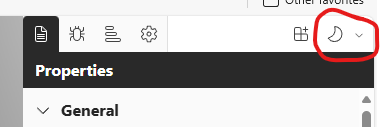
You can try the Inspector v2 preview in Playground and Sandbox by clicking the Try the new Inspector buttons. This will toggle between Inspector v1 and Inspector v2 without reloading the page.
NPM Package
You can try the Inspector v2 preview in your own projects by installing the @babylonjs/inspector@preview package and calling ShowInspector. See the npm page for a bit more detail. For example: https://www.npmjs.com/package/@babylonjs/inspector/v/8.31.2-preview
You can find basic API documentation here: Babylon.js docs

What and Why?
We had a number of motivations for rebuilding Inspector from the ground up:
- Extensibility - Inspector is the main diagnostic tool for Babylon, and while a core set of features is useful to just about everyone using Babylon, there are many scenarios or even product specific features that can greatly improve the experience but don’t necessarily make sense for everyone. Conceptually this is similar to extensibility in Visual Studio Code - extensions make it very powerful and useful for specific workflows, without making the base product overwhelmingly large and complex. Inspector v2 is fully extensible, whether you want to add new sections or commands to scene explorer, new properties to the properties pane, new toolbar items, whole new side panes, and so on. Checkout the docs and samples for more details.
- Performance - Inspector v2 is built to handle Babylon scenes of any size and complexity. For example, in Inspector v1 if you have a scene with 8000 nodes, it would take about 2 minutes to expand the root node of scene explorer on a decent dev box. With Inspector v2, this same scenario is effectively instantaneous. In fact, we’ve tested Inspector v2 with scenes with 100,000+ nodes and it still performs very well.
- Reactivity - Inspector v1 relied heavily on polling and manual refreshes to see the latest state of the scene. This can cause confusion, and can also create unnecessary runtime overhead. Inspector v2 uses a different approach, and in almost all cases, any changes in the scene are immediately reflected in Inspector.
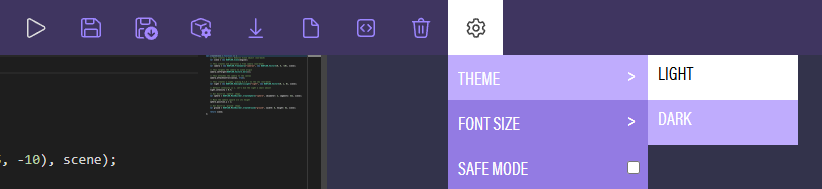
- UI Modernization - for Babylon 9, we are overhauling the UI for all of our tools (@georgie will have a separate announcement on this!), and so naturally this is included as part of Inspector v2. The new UI system is more modern and fully supports theming (e.g. light/dark modes), and the new shared components use React and Typescript best practices, so they should be much easier to use when extending Inspector v2 (please mention @georgie in any feedback related to the new UI system!).
- ESM - Inspector v2 is esm first, meaning you can integrate it into your own projects and your bundler can fully tree shake it and code split / chunk optional features and extensions that rely on dynamic imports. Additionally, because our new UI system leverages a css-in-js solution, bundling the esm package is simple and requires no special bundler configuration to deal with separate css files, and Inspector css will never collide with the css of your app.
- Bug Fixes - ok we didn’t need to rebuild Inspector to fix bugs, but we have fixed a lot of old issues along the way! For example, mesh picking now works even when morph target or skeletal animation is applied to the mesh.
What does “preview” mean?
Preview means several things:
- There is still more feature work to do, and Inspector v2 is not at parity with Inspector v1 yet.
- Inspector v2 is not fully backward compatible with Inspector v1 yet.
- We haven’t integrated with debugLayer yet, which means currently you must explicitly call the new ShowInspector function.
- The UX is not final. We will continue to iterate and improve before the Babylon 9 release.
- The API is not final, but we’ll try to only change things at this point when we feel we really need to.
We don’t have umd packages yet (e.g. babyonjs-inspector@preview). This also means it’s not yet possible to use Inspector v2 directly in a webpage (currently requires app-specific bundling).
Our ask to the Babylon Community 
- Try Inspector v2 in Playground and Sandbox (click the “Try the new Inspector” button) and share your feedback in this thread. We intend to replace Inspector v1 with Inspector v2 as part of the Babylon 9 release, so if you have feedback or find issues, it would be great to know well before the release.
- Try Inspector v2 (
@babylonjs/inspector@preview) in your own projects and share your feedback in this thread. - Share any ideas you have for new features or extensions. The samples may give you some ideas on what is possible with extensions (the sky is the limit!).
- If you’d like to contribute to Inspector v2 by creating new extensions that are available “out-of-the-box” with Inspector v2, DM me - we’d love to have contributions!
- We are also considering the idea of having a separate community governed extension feed. This would be outside of the Babylon monorepo, and extensions would be dynamically fetched (e.g. not part of the default Inspector v2 bundle). We would do this so that the community is not bottlenecked on the Babylon team for PR reviews, and so that arbitrary npm packages could be used for extensions (we are very careful with bringing any new dependencies into the core Babylon monorepo). If this sounds interesting to you, please let us know!
See Inspector v2 bugs and feedback · Issue #17293 · BabylonJS/Babylon.js for specific bugs and requests being tracked.