Is this anyhow related to the later fx created in NME by @PatrickRyan or is it your own doing incidentally coming in about the same time?
In any case, it looks quite good and versatile (with all these options right down to texturing ). GJ and great job doing the chinese tutorial.
What about making an english version for the larger community of users?
Sorry,I am not good at English. May be some language barrier,sometimes Chinese
article also make me headache too . I think I can just do some easy read and easy write in English.
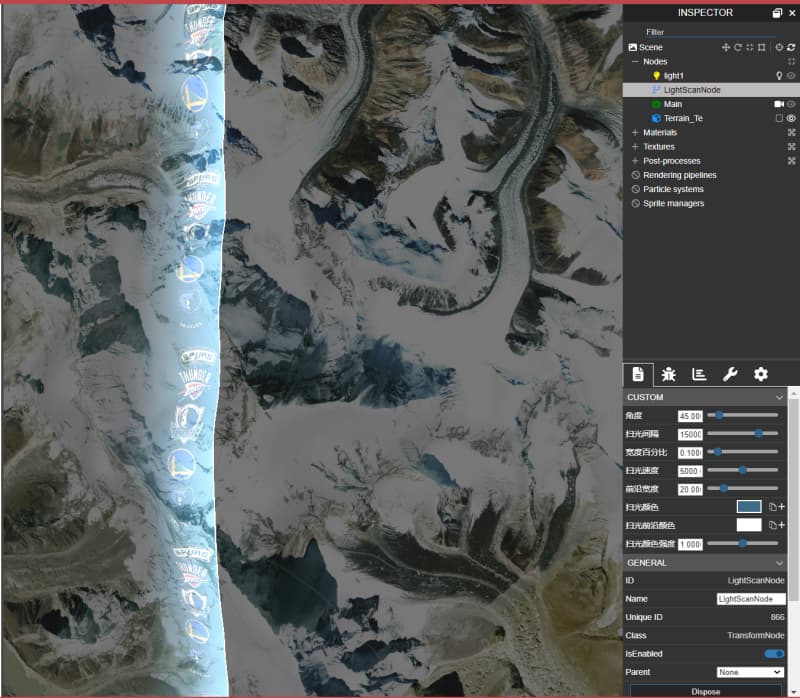
How can this be compatible with the right-handed coordinate system? The effect is incorrect when I set scene.useRightHandedSystem = true. At the same time, I also need a special effect of the building surface rising. Is it possible to achieve this. Thank you.
Hi, I’m glad that you like this postprocess! This is basing on depth, normally it can work for every mesh which depth is correct. Can you explain what the specific meshes are? mesh with skeleton? mesh with morph? Or other type which is needing custom depth prepass?




 ). GJ and great job doing the chinese tutorial.