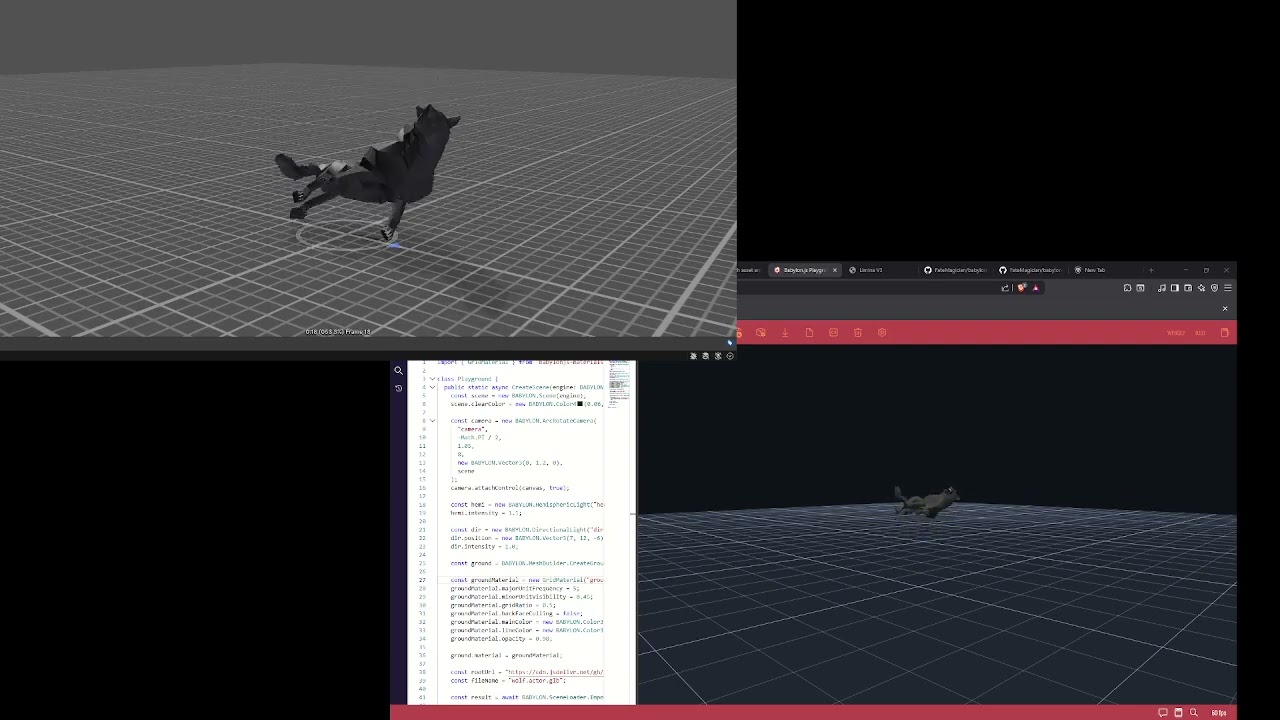
Hello,
I’m running into what looks like an animation import/playback issue in Babylon.js with a wolf asset.
Expected behavior:
- The wolf’s death animation should make the body fall down to the ground.
- In Unity, the same asset/animation behaves correctly and the feet stay grounded.
Actual behavior in Babylon:
- When the death animation plays, the wolf appears to hover or collapse around its torso/center instead of dropping naturally toward the ground.
- I see a similar issue on the attack animation: when the wolf crouches, the legs appear to lift upward instead of the body lowering toward the ground.
Important context:
- This is not a retargeted animation.
- The wolf uses its own rig and its own animations.
- I tested this in a standalone Babylon-only debug scene, outside my game logic.
- I also exported a
.babylonversion as a control test, and it still shows the same problem. - So this does not appear to be caused by my gameplay code, state machine, or retargeting pipeline.
What I already checked:
- The animation looks correct in Unity.
- The source animation and exported runtime asset appear correct outside Babylon.
- I tested multiple export variants and skin/root metadata variants, but they all still show the same issue in Babylon.
- I also tested the model in an isolated Babylon debug page, spawning the wolf alone and looping the animation.
Environment:
- Babylon.js version: 9.1.0
- Blender version: 4.2.1
- Export formats tested:
.glband.babylon
What I can provide:
- the wolf asset
- the animation asset
- screenshots / video of Unity vs Babylon
- a minimal Babylon repro
My main question:
- Is there any known Babylon issue or import setting that could cause skeletal animations like this to appear centered incorrectly or lose their grounded motion, even when the source animation is correct?
Any guidance would be greatly appreciated.