Problem Description
-
Project Background
I am using Babylon.js’s GPGPU technology to implement a particle system based on image pixels. The particles can smoothly transition between planar and spherical forms. The system generates particle positions from images and updates the particle positions using ping-pong texture technology.
-
Current implemented features
Image-to-particle conversion: Generate initial particle positions from Earth sample images
Dual form support: Particles can switch between planar and spherical forms
GPGPU processing: Use two RenderTargetTextures to implement ping-pong buffering
Smooth transition animation: Use cubic Bézier curves to achieve form-switching animations
Edge particle effects: Edge particles have different behaviors from center particles
-
Specific problem description
The following abnormal phenomena occur during the operation of the particle system:
Particles keep flickering
Particle positions are unstable and jittering
this is the pg:
This is my first time using PingPong. I’m not sure what the standard practice is.
        // plane.setEnabled(false);
        // plane.layerMask = 10;
        plane.visibility = 0;
Also, in line 342 of the code, is it only feasible to set the visibility?
It would be great if there were a simpler way to use it
Hey there!
I’m not seeing the flickering:
Also what is the issue with setting the visibility to 0? you can also use plane.isVisible = false.

This is what I see. Why don’t you have it? It’s very strange. Is it a problem with the screen refresh rate?
In fact, what was recorded and what was displayed on the screen were not the same. On the screen, it looked like the particles were flickering in place.
I have this issue on both Windows and Mac.
Also, is this way of implementing ping-pong textures correct?
Is there a simpler PG?
@Deltakosh
honestly code looks good to me but without a repro I cannot help much 
Can someone else repro?
That being said there is a problem I guess in your code.
You have to always make sure the write texture is UNBOUND when used to read Else that could explain your issue
I have a very fast GPu so in my case the write is done before the read happens but in your case that may not be the case.
In your case I see you have both read and write texture in the custom render targets, is that expected? I would have thought only the write should be in the custom render targets? (I see that you empty the renderList but this is not enough, you need to remove it from the render targets)
All of that is uneducated guess though  but worth a try
It seems that the problem of flickering has been solved. I’m very grateful. I will study your PG very carefully.
@Deltakosh
I’m not quite sure how to use pingpang correctly. Was it told to me by AI
I want to achieve the particle displacement effect, so I need two textures to be repeatedly read and written?
yes and you were close (my PG added the tiny missing fix)
I sincerely apologize for the inconvenience caused by my repeated inquiries.
During my testing process, I encountered two problems that I am currently unable to solve independently.
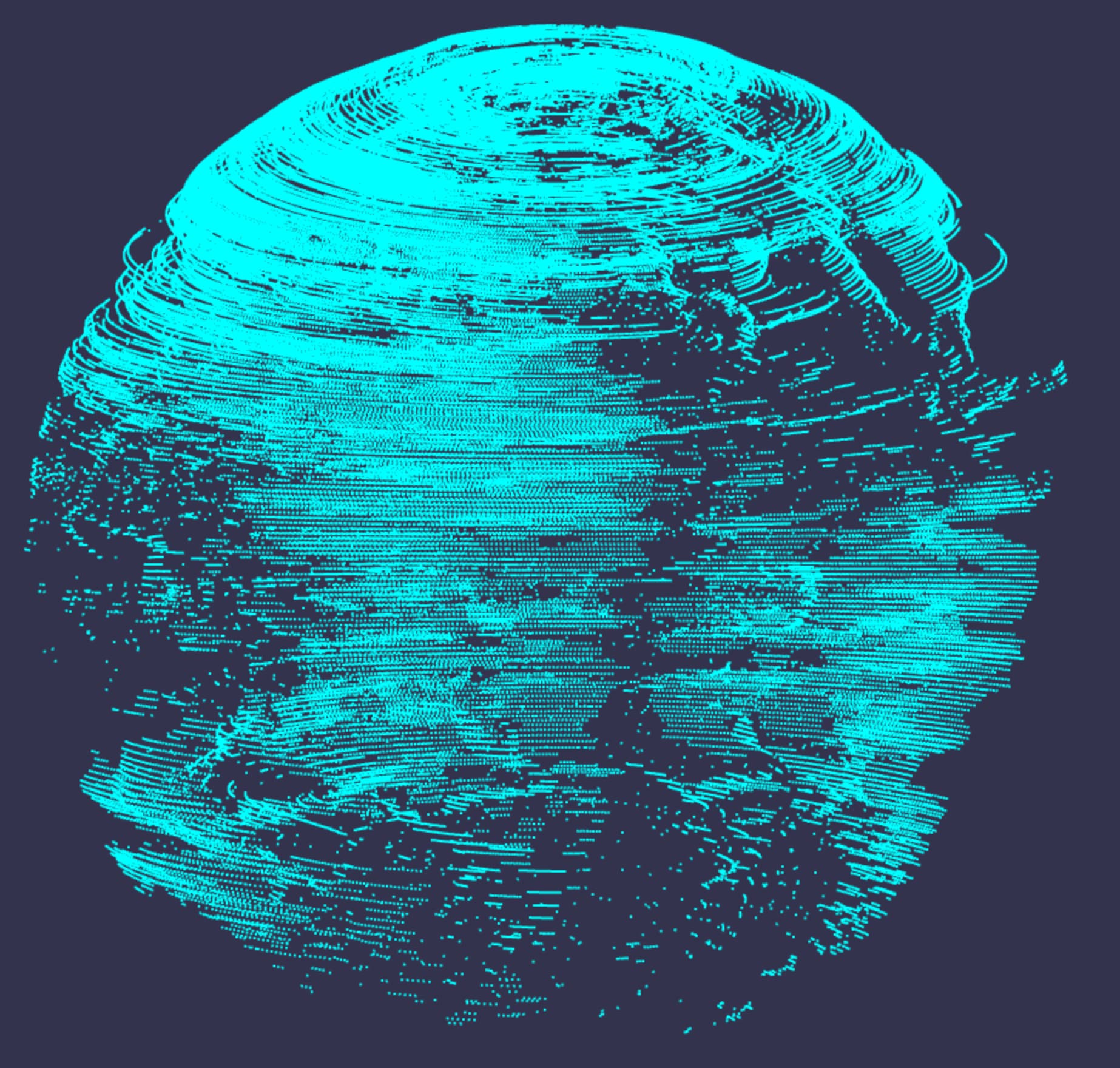
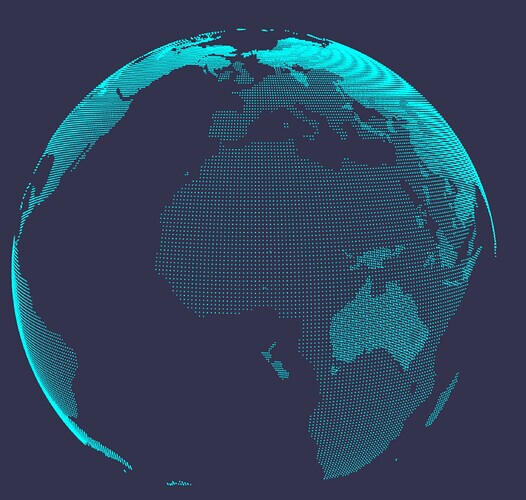
issue 1:There is confusion in the display of low-probability planes during the execution process, like this:
This picture is exactly what I expected
According to the explanation provided by AI:
This is a classic and representative GPGPU (General Graphics Processing Unit) computing problem. Sporadic errors usually indicate the existence of “competitive conditions”.
In a normal scenario (Figure 1) : The browser may complete the initial rendering of writeTexture before executing the first registerBeforeRender callback. This rendering used the correct planeTexture Settings during initialization. Therefore, the first rendering was accurate, and the subsequent animation looked normal.
In an abnormal scenario (Figure 2) : The browser may execute the registerBeforeRender callback before the initial rendering is completed. This callback will immediately replace the correct planeTexture unification with readTexture, which may contain uninitialized or default black data. Therefore, the first rendering produced incorrect and chaotic results. This incorrect data is then amplified in each subsequent frame through a feedback loop, eventually leading to the abnormal image as shown in Figure 2.
Unfortunately, I haven’t been able to solve this problem yet.
issue 2: I expect the particle to use the hybrid function to transition from the planar position to the spherical position. However, the final sphere did not meet my expectations.
Running result:
This picture is exactly what I expected
Operation steps:
-
Press the 1 key on the keyboard. The appearance of planes and spheres indicates that the particle positions are correct. These are all the expected results.
-
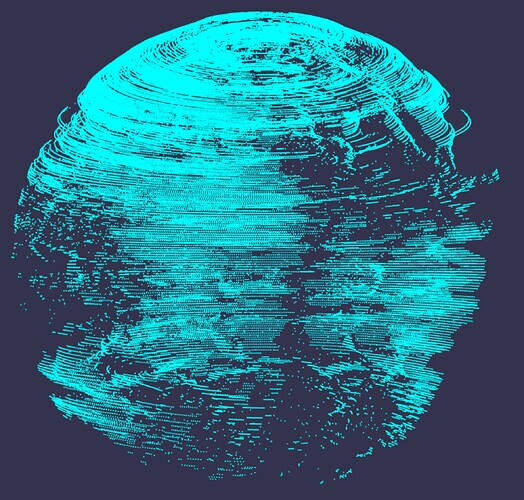
Run the program again and press the 2 key on the keyboard. The resulting globe seems incorrect. The additional sphere displayed at last is the one I used for testing purposes.
I guess there is a problem with ping-pong render
Could you give me some more help? 
@Deltakosh
I know you do not mean bad things but you need to understand we cannot spend ages debugging code produced by AI. Please do not take it personally. I truly appreciate what you are trying to do but if every user keeps throwing at us their “vibe coding” experiment we will never do anything else. I’m all for the democratization of access to code but you also have to dedicate a bit of time to learn too.
Anyway…I want to help so let’s go. Can you please explain what is your algorithm here? From what I checked the code works as intended and produce no error. What is the goal of the ping pong in the case of the flat map?
I’m very sorry for taking up your time!!!
Read pixels from maskTexture, store them as position textures, and use GPU to implement the special effect of particle position transformation
For instance, I want to create an animation where particles fly from a plane and eventually form a sphere
Inspired by this website, I want to imitate it: https://carbonmonitor-graced.com/
I just want to understand the position of the stored sphere. After reading it out, it will be different
The storage location is as follows:
After reading it out, it was like this:
Why do you need a ping pong in that case? if you have a source and a destination texture and a delta value, why do you need a ping pong?
Anyway my point remains that this is an algorithm issue and not a technical issue ;D