@c4cc there is a simple thing you can do to enable your alpha bend, even if you are using emission for an unlit texture. This technically isn’t correct if you are trying to keep the texture out of the lighting and post process calculations entirely as unlit and emissive aren’t the same thing. Emission contributes to the glow layer where unlit ignores all lighting and post process effects. However, you can get your alpha channel back by assigning your emission texture to the opacity input as well.
To get this to render correctly, you need to make sure your material is set up to use alpha blend transparency mode as your materials are now set up as opaque materials:
For your second question, can you explain further what you are trying to achieve when you say emission intensity? If you mean you want them to glow, you need to add in the glow layer post process effect. If you are talking about wanting to dim the brightness of the texture, you can set the emissive color, which multiplies with the emission texture:
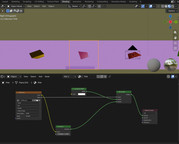
For your third question, you are basically creating a custom shader in blender, which works because blender is set up to read the node graph feeding a material and walk the tree node by node to determine the final render, even if you are adding a simple graph to an existing material type. Blender knows how to extend the shader to take a custom input and still calculate everything correctly. However, you are exporting your mesh to glTF, and the glTF spec if very specific about what materials it accepts. Basically, you have the default PBR material definition plus a few PBR Next extensions that are accepted into core, which are things like sheen, clear coat, transmission, etc. But a custom shader in Blender does not directly translate as Blender bakes your materials down to core PBR as much as it can. If there’s no translation for what you did in the shader, it just passes default values as you see in your materials here. That said, you could create a custom extension for blender materials to parse and load as you have them in Blender, but that’s a far more taxing undertaking that an additional node material load. You could short circuit this by duplicating your blender shader in node material and then assigning your textures loaded with your glTF to the correct node material inputs and assign the node material to your meshes. This will replicate what you did in Blender.
But the core of the issue here isn’t that this doesn’t work in Babylon. What you are trying to do by exporting a custom Blender shader into glTF isn’t supported so no glTF loader will be able to display this as you see it in Blender. I hope this helps.
Thanks for your answer, sorry for my late reply, I was damn busy the past few days. For my second question, I mean emission intensity by color strength. For example, this HUD’s emission that influences its color: