“Hello, I am trying to make the ‘need depth pre-pass’ button persistent, but I am not a developer; I am a designer. When creating materials in 3ds Max, there is no option called ‘need depth pre-pass,’ and every time I enter the ‘Babylon Sandbox,’ I have to do it again. Is there a way to make this persistent?”
Hello and welcome 
When you drop a new file (for example a .glb) in the Sandbox, a new scene is created, and it will load your asset, with default param on materials.
That said, with code everything is possible, what you need is automatically call this :
material.needDepthPrePass = true;
on the material you want it to be called.
If you work for a developper, maybe you can ask him to set you up a sandbox with whatever default params you need.
Otherwise, after opening a Babylon Sandbox you can open the Javascript console (F12), and paste this :
const engine = BABYLON.Engine.LastCreatedEngine;
engine.onNewSceneAddedObservable.add((scene) => {
    console.log("New scene created");
    scene.onNewMaterialAddedObservable.add((material) => {
        if(!material.needDepthPrePass){
            material.needDepthPrePass = true;
            console.log("Material '"+material.name+"' needDepthPrePass set to true.");
        }
    });
});
This call is basically registering a function to be run on each material at new scene load, setting up the needDepthPrePass to true … It will work on each new file drop, as soon as you keep this tab open.
Where should I paste this in Babylon ‘Sandbox’ ? @Tricotou
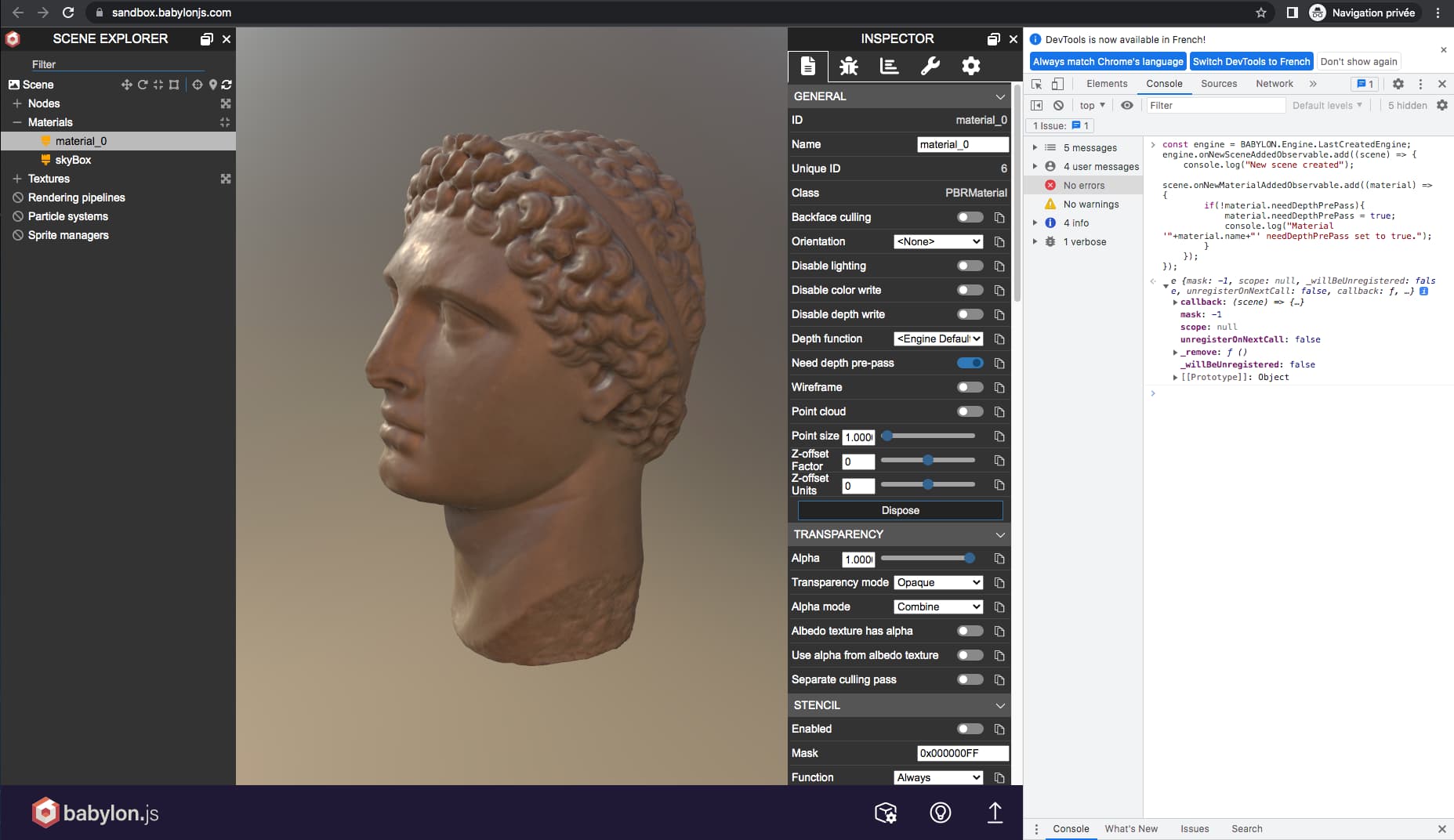
Will this be the case on all computers, or will it only be like this on my PC? @mawa
You’d have to do that process on every page refresh or when the the browser is restarted (thus on every PC)
Hum? Let’s try to make this clear. I’m also no dev; I’m a simple designer so I’m not gonna LOL you or anything  The ‘sandbox’ - as its name suggests - is a ‘testing environment’. You’re not gonna distribute your scenes from the sandbox. There are tools for simple integration of a Babylon scene, such as IE: The Editor or (in case of word press), The Viewer .
In general (not related to Babylon.js but to the Browser itself), the CONSOLE is session based. Any instruction you enter in the console is valid for this user/session only and will be flushed or ‘gone with the wind’ 
 if you prefer, as soon as you close this browser tab.
If you need help for implementing, either do it the same as I did = Invest a number of hours in reading and understanding the docs. Split your time between learning and building-up your project 
 … Else, (if you don’t have the time and need to deliver) have at least a junior or better, intermediate dev at your side to make sure you’ll end-up where you are supposed to

Meanwhile, have a great day 