Hi,
We upgraded our project from Babylon.js version 4 to version 8.
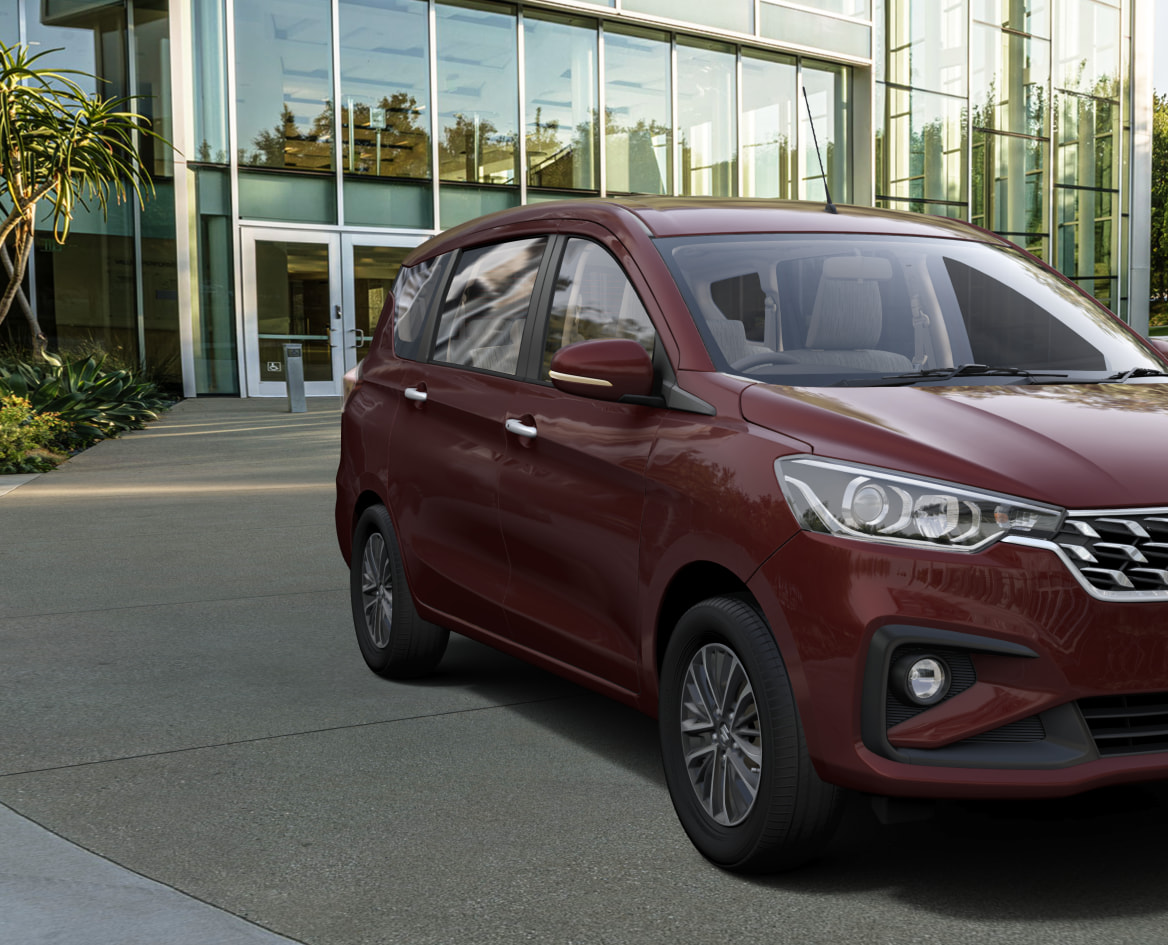
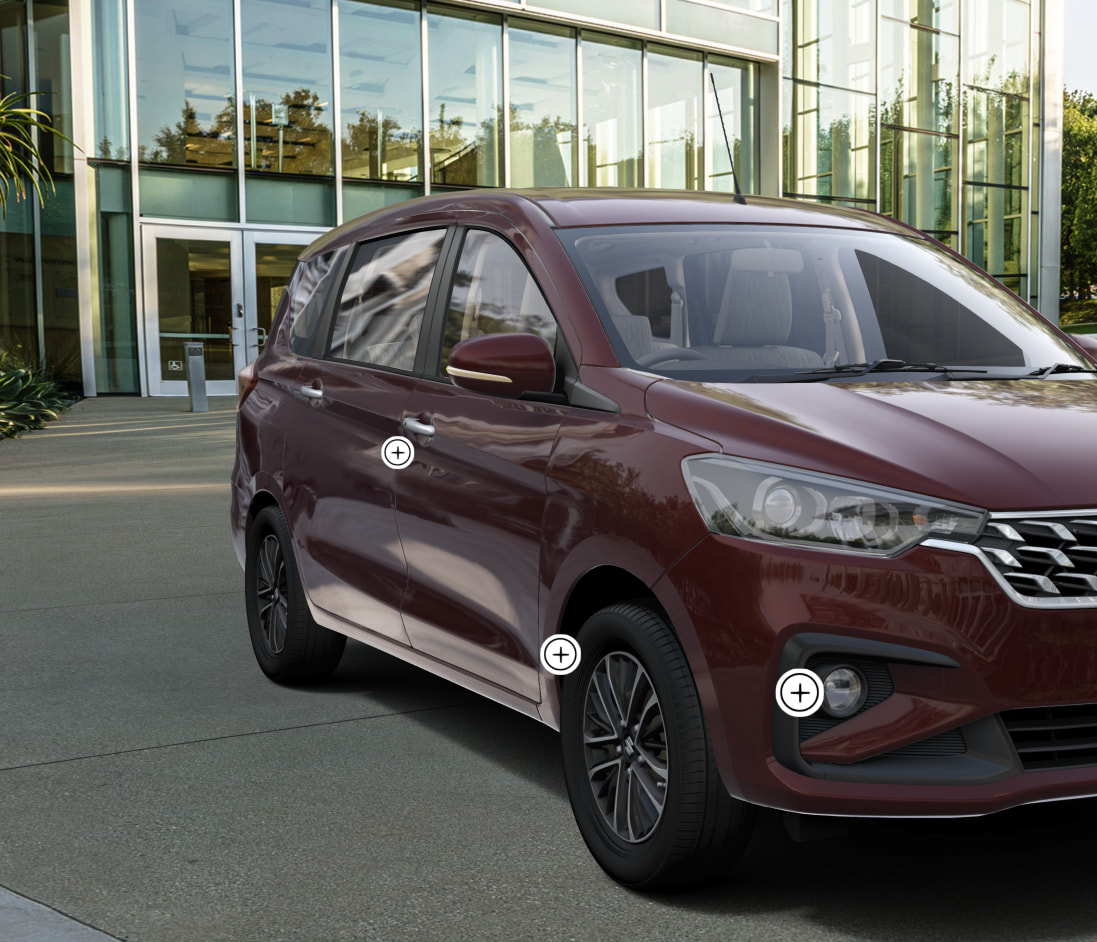
The same car model and materials now render with a visible difference:
The old version had more natural, balanced reflections.
The new version looks more glossy and uniform, as if the car is “wrapped in plastic".
What we’ve already tried (from breaking changes and suggestions):
PBRBRDFConfiguration.DEFAULT_MIX_IBL_RADIANCE_WITH_IRRADIANCE = false
Set before PBR Material creation (breaking change #7450). This helped a lot but didn’t fully fix it.
PBRBRDFConfiguration.DEFAULT_USE_SPHERICAL_HARMONICS = false
To use the older polynomial IBL diffuse.
PBRBRDFConfiguration.DEFAULT_USE_LEGACY_SPECULAR_ENERGY_CONSERVATION = false
Even with all of the above, the new output still looks more “plastic” than the old one: reflections are stronger and more uniform, and the paint doesn’t match the previous look. The difference is more obvious on some cars than others.
Setup:
We use PBR materials (metallic/roughness), a prefiltered .env environment texture for IBL, and the same assets and material JSON in both versions. The only change is the Babylon.js version (4 vs 8).
Question:
Are there other PBR/BRDF or scene defaults that changed between v4 and v8 that could cause this? Is there a recommended way (global defaults, scene settings, or per-material tweaks) to get the new render to match the old look as closely as possible? We’re happy to share before/after screenshots and can provide more details (e.g. material settings, environment setup) if needed.
Thanks in advance.
Lets check with @Evgeni_Popov if has a bit of time but maybe the brdf lookup should be changed as well ?
Can you create a playground with a sphere and this material so that we can test/debug locally ?
Can you try with this code:
    scene.getEngine().getCaps().supportSRGBBuffers = false;
    BABYLON.PBRSubSurfaceConfiguration.DEFAULT_LEGACY_TRANSLUCENCY = true;
    BABYLON.PBRSubSurfaceConfiguration.DEFAULT_APPLY_ALBEDO_AFTERSUBSURFACE = true;
    BABYLON.PBRBRDFConfiguration.DEFAULT_MIX_IBL_RADIANCE_WITH_IRRADIANCE = false;
    BABYLON.PBRBRDFConfiguration.DEFAULT_LEGACY_TRANSLUCENCY = true;
    BABYLON.PBRBRDFConfiguration.DEFAULT_APPLY_ALBEDO_AFTERSUBSURFACE = true;

    BABYLON.ShaderStore.IncludesShadersStore['pbrBlockReflection'] =
        BABYLON.ShaderStore.IncludesShadersStore['pbrBlockReflection'].replace(
            "vReflectionColor.rgb*vReflectionInfos.x",
            "vReflectionColor.rgb");
?
Thank you @sebavan and @Evgeni_Popov for the suggestions.
As @Evgeni_Popov suggested, I added the snippet into my project, but unfortunately it doesn’t make any visible difference.
I’ve created a Playground to reproduce the issue. It uses the exact same material settings as our car body paint (same PBR back-compat flags, colors, clear coat, roughness, metallic, environment intensity, etc.), applied to a sphere so you can see the result in isolation.
Notes:
1. Metallic/roughness texture
The real material also uses a metallic–roughness texture. I didn’t attach it in the playground (only the scalar values and colors from our material JSON are applied). I’ve mentioned this in the playground description in case it’s relevant for debugging.
2. Version comparison
I tried switching Babylon.js versions in the playground (top-right). v5.57.1 gives a noticeably different result than later versions (v6–v8), which still look more “plastic” / over-reflective. I hope that might help narrow down when the PBR change was introduced.
Thanks again for your help.
Clear coat is disabled on version 5
the serialization format changed https://playground.babylonjs.com/#71D909#7