Bug in Inspector Environment Intensity

Hello BabylonJS Community!

I found a problem on inspector environment intensity value, reproducible on last 7.x and 8.x versions

here it’s a minimal code:

go to Inspector > Scene > IBL Intensity and you will see 1.0, not 2.0

It seems that inspector treats the current value set by code as its 1.0 and multiplies that value under the hood, not watching the actual value.

Am i doing something wrong?
Thanks!

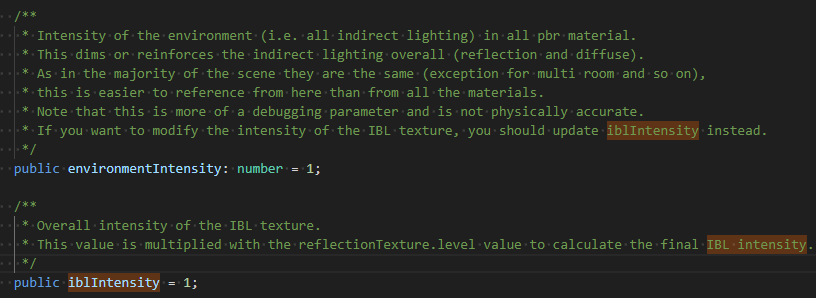
Hi! That value in the inspector is tied to scene.iblIntensity, not scene.environmentIntensity. You can see the value change if you update iblntensity directly.

@ryantrem fyi in case we want to display differently in inspectorv2

3 Likes

@georgie

Thanks!

Just a related question. Are you able to change the IBL Intensity and see any changes to the Node Material?

A recap about the bug i’m seeing related to BJS versions

  • 8.x IBL intensity doesn’t affect node material
  • 7.x IBL intensity doesn’t affect node material
  • 6.x IBL Intensity affects node material

hi @psicomante we’re going to look into it, as we’ve made some changes to how env intensity is defined. seb is on it! :slight_smile:

scene.environmentIntensity will work as before. IBL intensity is not by design. the inspector changed the property it was targetting and @Evgeni_Popov might remember why ?

It’s because the label for this property was “IBL Intensity” in the inspector, which corresponds to scene.iblIntensity in the code. As scene.environmentIntensity is more of a debug property, we preferred to update the property the inspector points to instead of changing the label.

Having said that, we should fix the PBR node material to take into account scene.iblIntensity:
2 Likes