Hi everyone!
Currently I’m working on a custom node material post process that allows highlighting selected objects (similarly like in blender and other dcc tools). It works with both regular meshes and instanced meshes. Here how it looks so far:
22 Likes
This looks stunning we should move it as a framework feature 
5 Likes
I second that motion!!
3 Likes
Hello, Very good, are you working on it as a private project or as an open-source interest?
I’m creating it for a personal project I’m working on. Now I only have it in my local playground for testing… I’ll be quite busy this week, but I’ll try to clean it up and share a public playground in a few days’ time.
2 Likes
Exactly what I want to suggest! I’d be a user immediately.
Amazing work @fuyutami 
PS: what’s the closest thing we got to that today?
1 Like
- outline renderer
- edge rendererr
- highlight layer with isStroke mode
- Edge Detection
1 Like
Did you manage to cleanup yet? Really looking forward to seeing this in action!
I didn’t know about the BABYLON.HighlightLayer :
index.zip (1.3 KB)
1 Like
the demo that @fuyutami showcases above goes beyond any of the functionality that outlines, edge renderers or highlight layers can provide currently. I’m really curious to see how it handles more complex shapes, alpha blended layers, stencil buffer etc. watching the demo, it really looks like a one stop shop outline.


Those are the eyes of an expert. I didn’t see that. Sorry. 
Here’s another outliner style shader I just created with AI support.

index.zip (2.4 KB)
1 Like
@AF4261 I’m sorry for the late replay. It should be fine with any shape since it creates outlines around flat 2D masks of objects. Regardless of what shape, size, distance from camera the objects are, result should be the same: evenly thick lines around the silhouettes. As for objects with transparency or translucency, currently they don’t have any special treatment and are handled the same as opaque objects.
@sebavan as far as I know neither of those techniques work if one needs to highlight individual instances (let’s say if one has hundreds of instances of the same object and wants to show highlight only around one or some of them). That is probably the main reason I’m creating this
Here is the new demo:
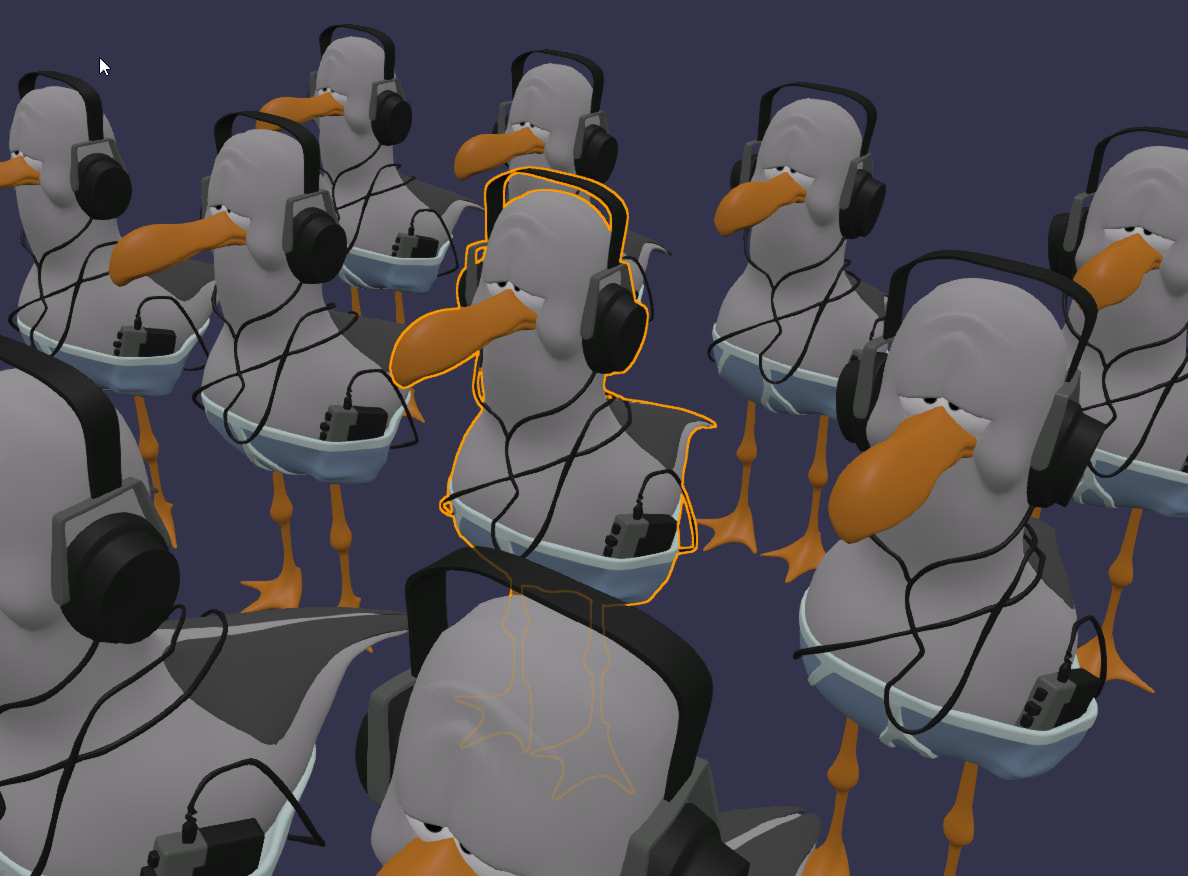
Feel free to try it here: Babylon.js Playground
Potential future features:
- Better handling of transparent and translucent objects
- Multi-color support: so it is possible to outline different selected objects with different colors (like active object in Blender for example)
If you have found any issues or have some improvements, please let me know, thank you
15 Likes
This is so cool and a nice use of the new playground !!!
2 Likes
Hi @fuyutami and thank you so much for sharing this!
I am exploring fully migrating to this solution as well as pushing for it to be integrated as an official feature. I am currently using HighlightLayer for my outline needs and it does the job however it is lacking on many aspects, which in turn your solution seems to address.
Some things I encountered while playing around with your outline:
- fails in right handed mode
scene.useRightHandedSystem- it displays the outline as occluded right off the bat, because of the inverted Z-axis. - not a “true outline” - the outline does not actually encircle the meshes that it is applied to. Parts of the outline go inside the mesh as well.
- boolean union - it would be cool if we could do selections where occlusion does not apply to a selected group of 2 or more meshes
- when overlapped with alpha-blended meshes, it behaves in a similar fashion to the HighlightLayer - where the outline is rendered in front of the transparent mesh, regardless if it’s actually in behind it or not
Looking forward to seeing this feature shine!
The project I’m currently working on also requires this solution.
May I create a refined version using GLSL/WGSL shader code with TypeScript and integrate it into Babylon.js?
Or do you plan to improve the code further?
Personally, I’d prefer to avoid implementations using NodeMaterial, as this requires importing additional Babylon.js runtime code.
@AF4261 Thank you for taking the time to test it!
I have upgraded the mask shader to use the absolute value of z; now it should work fine with scene.useRightHandedSystem=true as well.
To get the nice and even “true outline”, it would require sampling the texture twice as many times, and to get the lines properly occluded, sampling the depth renderer more as well.
Personally, I think unless one uses very thick lines, the difference isn’t that noticeable.
I did implement a “selection groups” feature, so now you can pass grouped meshes to be outlined as one.
Like so for example:
setSelection([[…groupedMeshes1], […groupedMeshes2], …individuallyOutlinedMeshes])
This allows multi-part models (composed of several meshes) to be outlined as single units.
It’s also useful for reducing visual clutter when outlining numerous small objects (in a top-down games for example)
Individual outlines vs group outline:

When overlapped with alpha-blended meshes outlines are not occluded, because by default these meshes are not drawn to the depth render texture. If you require the outline to be occluded by transparent meshes, you can set forceDepthWriteTransparentMeshes = true on the depth renderer. I have also added a new occludeByTransparentMeshes option in the constructor, which does exactly that.
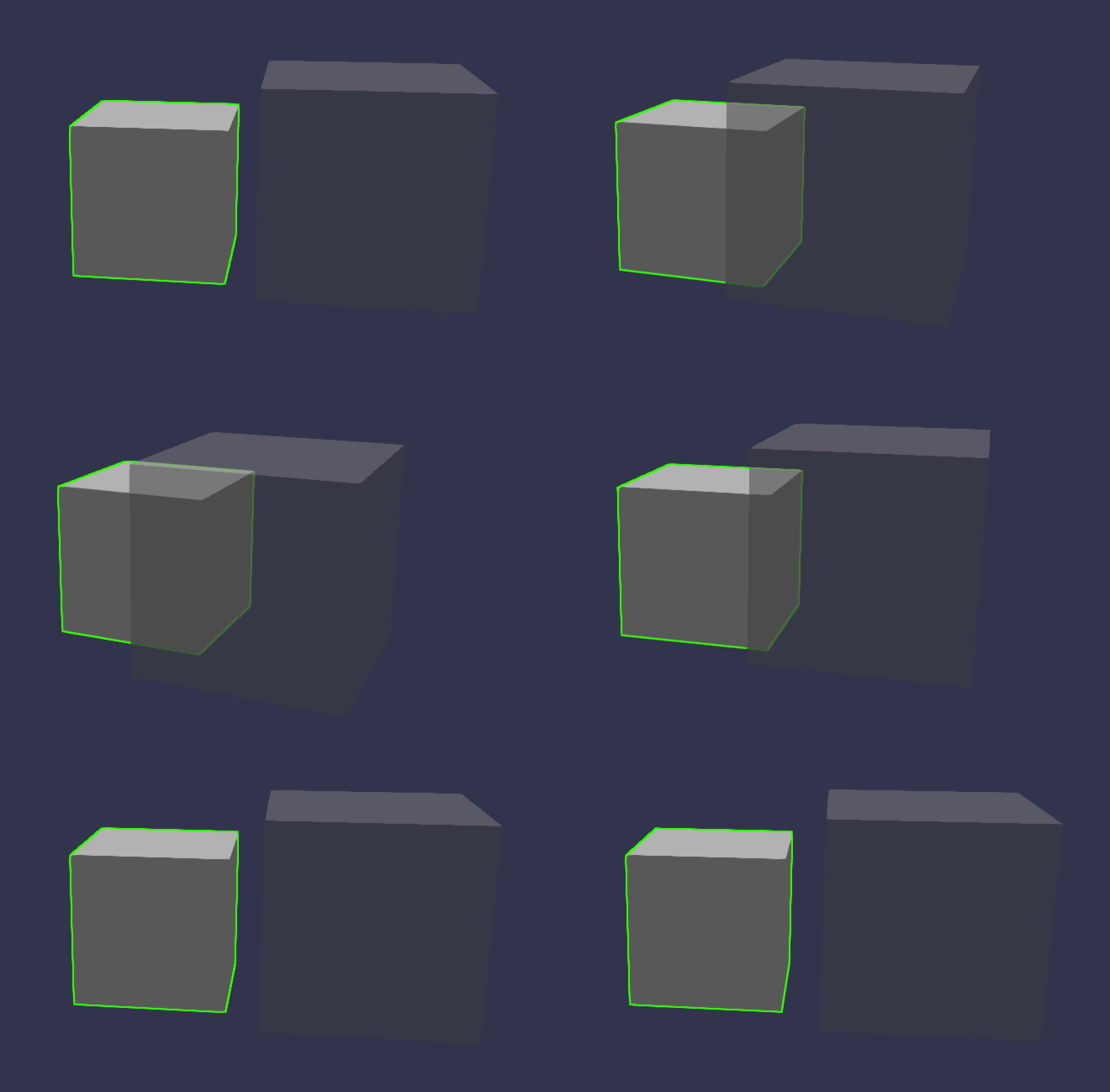
Here is the demo with all the updates I have mentioned (it is same demo as before I have just updated the class and shaders): https://playground.babylonjs.com/#CNM0HX#3
@noname0310 Yeah, sure.
I did experiment with a few optional features like multiple color support, fill, and the ability to show only occluded parts of the selection, which could allow for some cool in-game effects (x-ray, etc.).
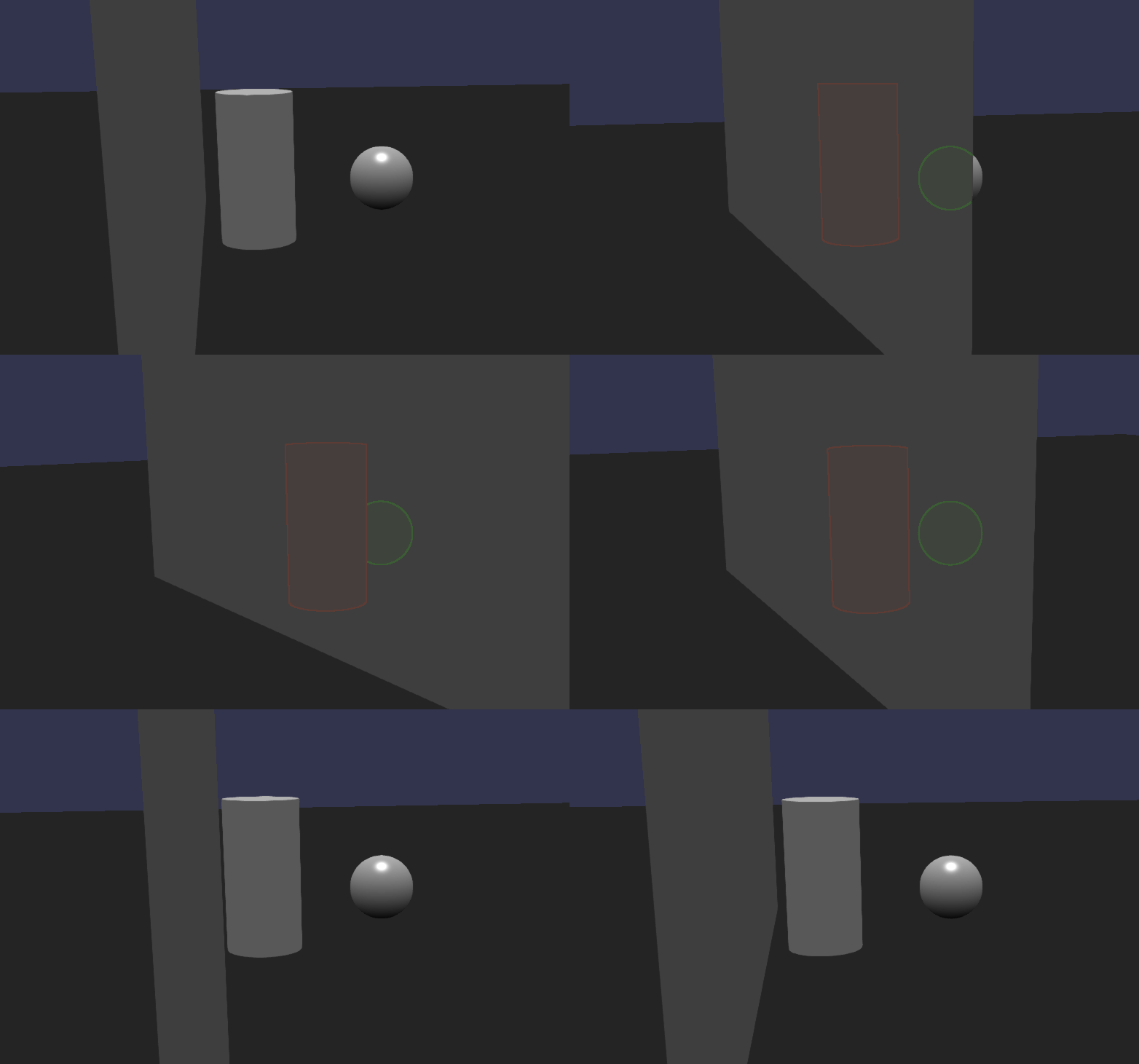
However, those are probably better off being either dynamically injected into the shader (if needed) or using a different shader depending on the purpose.
For my application I don’t need any of those features, so I don’t know if I’ll add them or not
Anyway, let me know if any of those features would be useful or if you have any other suggestions.
6 Likes
VERY COOL! Thank you @fuyutami for taking the time to address the things I brought up!
Regarding the “true outline” that I mentioned - I am currently playing around with the Jump Float Algorithm approach to outlines. It’s much more efficient than sampling pixel by pixel and especially efficient for mid to thick outlines. Maybe you can integrate it into your version? I see someone implemented it here:
1 Like
OMG this X-ray effect only showing occluded parts of the mesh is amazing. I would love if this was part of Babylon 
2 Likes
By the way, I’ve started working on it.
3 Likes
@noname0310 Cool! I’m used to working with node materials since my shader experience comes from shader graphs (like those in Blender or Unity). It does automatically generate shader code when you click the ‘Export Shaders’ button in the Node Material Editor, right?

2 Likes